Ability to specify Curve radius before points are converted to DJI Waypoints

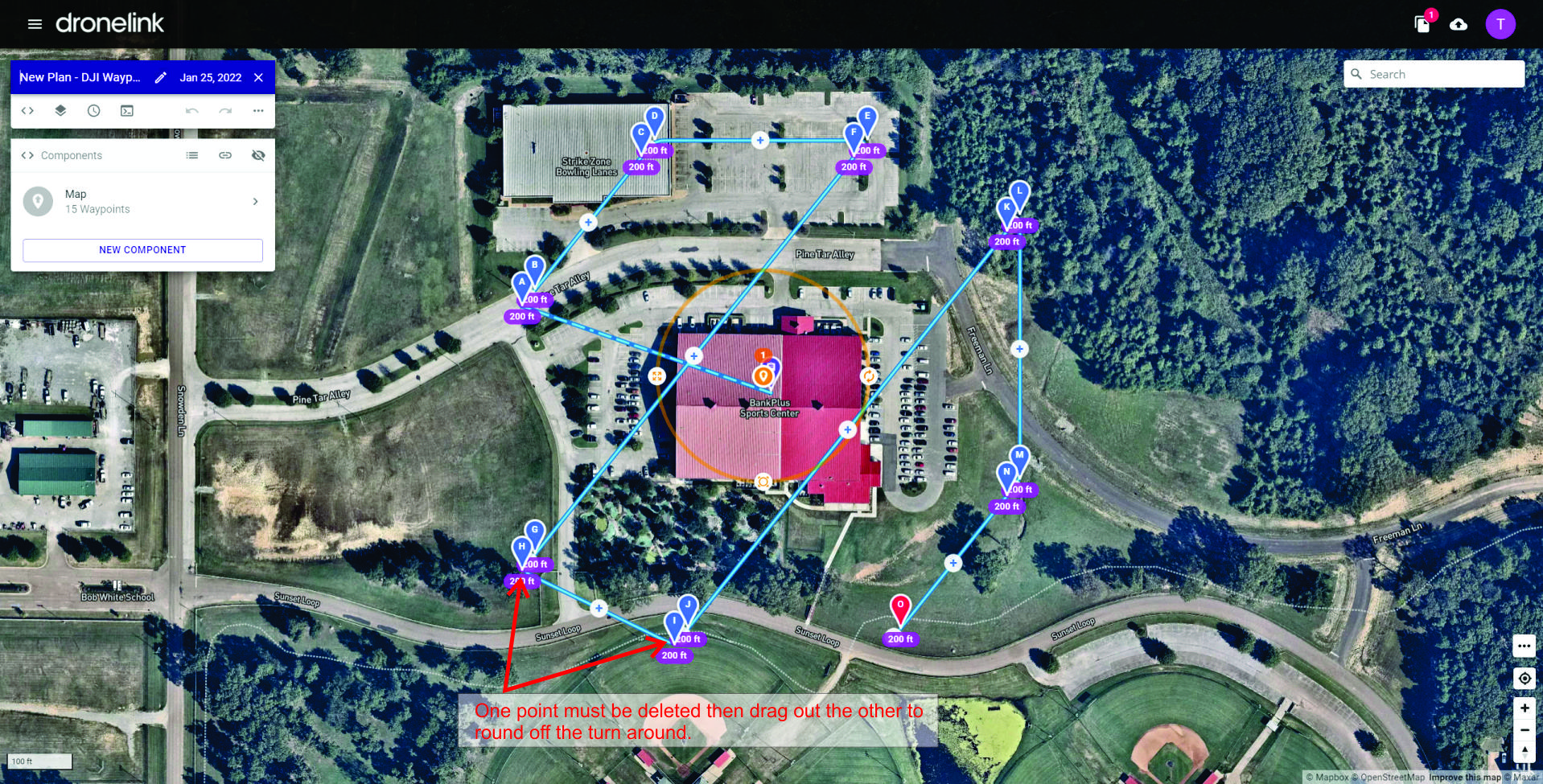
It would be great if there was an option to specify the radius of the turn arounds on the map when converting to DJI Waypoints (or just have an option to make them have the radius = distance between flight paths). Right now after it is converted, I go and set the radius to 1000. I then have to delete one point of the "turn around" and then drag the other on up to create a nice smooth bank turn. If there was a way to handle this in the conversion that would be awesome!
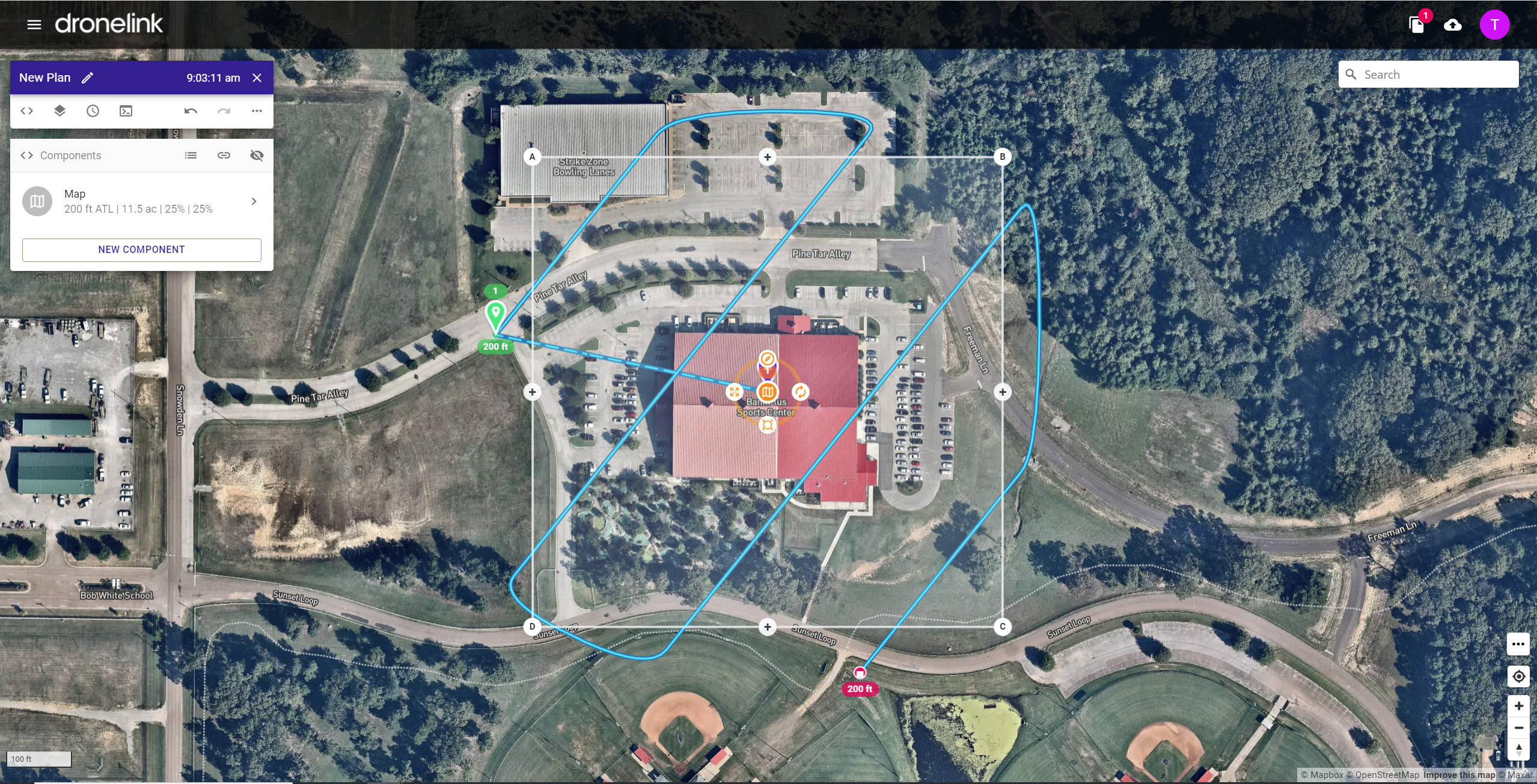
Map using DroneLink native layout
Map Layout after being converted to DJI Waypoints.
After desired curves for smooth turn around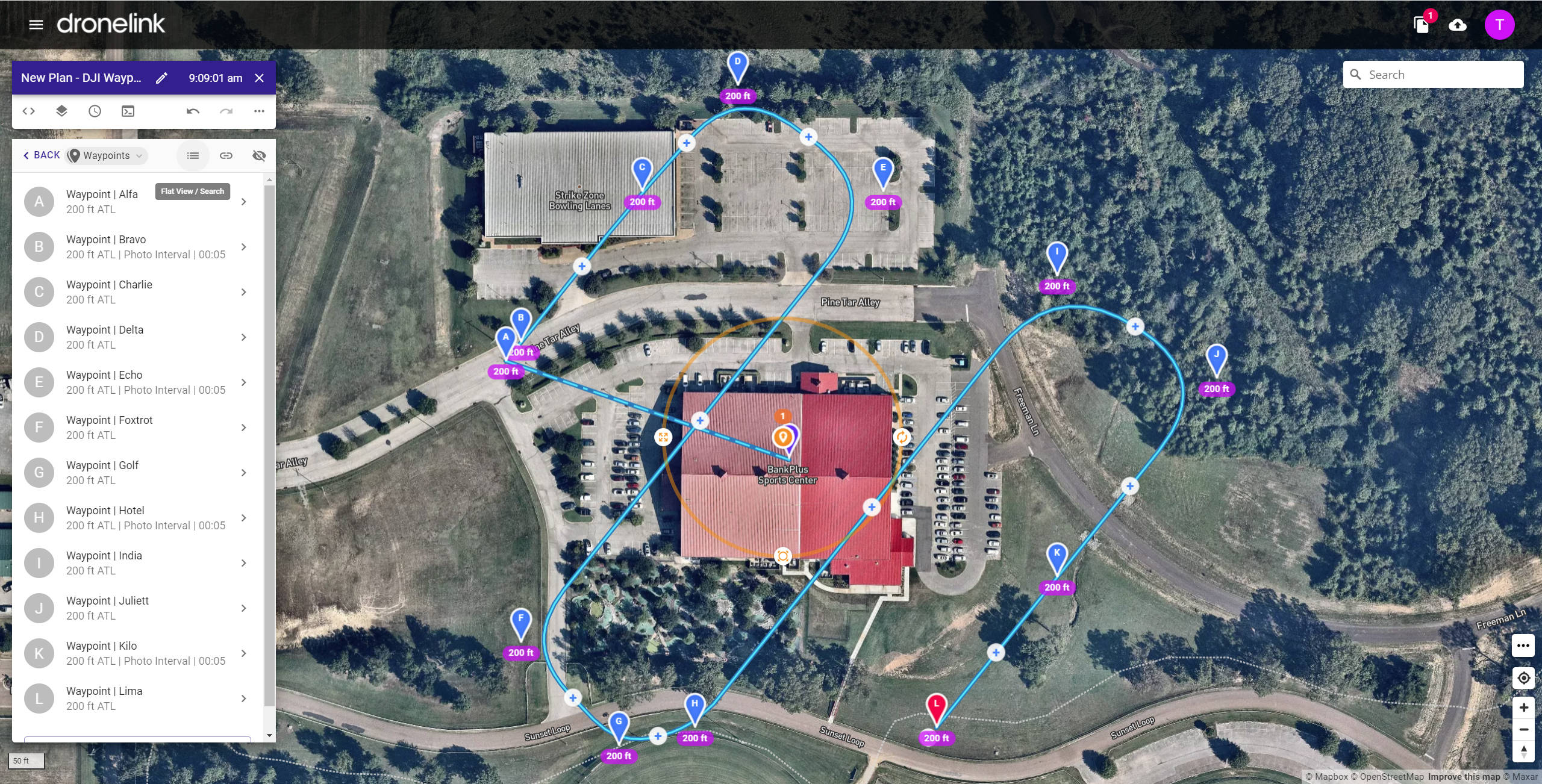
Comments
2 comments
It seems like you are converting a map instead of a path. If you converted a path it would allow you to specify the waypoint spacing and then would follow whatever curves were in your path.
Check out this video: https://www.youtube.com/watch?v=4F-W4HKJlmA
Maps are generally flown back and forth to capture data so having curved turns isn't really necessary.
Hope that helps.
Hi Barry. I am in deed creating a map and I need the radius curve because I am flying lidar.
Please sign in to leave a comment.