How to set custom sensor size details to achieve a specific coverage on the ground?

If flying with a lidar sensor that has a 100° FOV, then if the drone is flying at 60m (197') the on-ground coverage will be 84m (276'). I am trying to enter in custom sensor details that would replicate camera(lidar) coverage so that the flight path can be generated with a 20-30% overlap. I can't seem to change the sensor size and/or focal length to get the proper coverage and a mapping flight that will generate flight lines based on the desired overlap.
Any ideas on this?
Tim
Comments
9 comments
The coverage box (ground-cover) does not change. The flight paths will changed based on different settings but the sensor coverage box will not change.
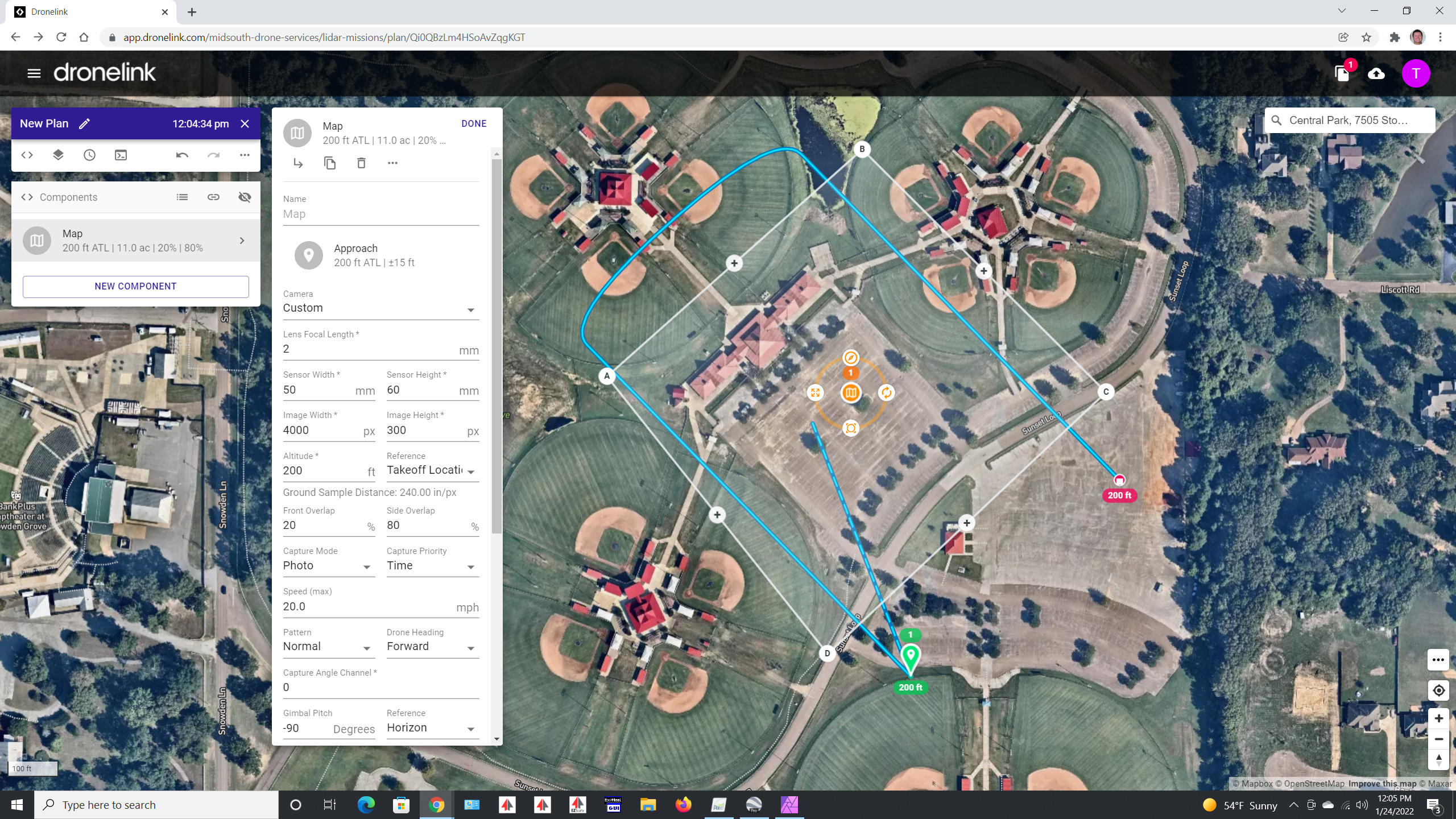
The sensor configuration does not automatically carry over into the simulated drone that is shown in the preview right now. If you click the arrow icon in the top right (to reveal the 3D preview), you can change the sensor settings of the simulated drone to match your map.
Nice!! That solved it with the exception that the overlap does not seem to be scaling correct as the altitude changes. The settings are shown in the attached image. As the altitude gets lower, the overlap does not seem to scale properly. When the altitude was at 262' it was near perfect. But when the altitude was at 98' the overlap was a good bit short of being 25% as entered. Is there anything that can be changed to correct that?
First image is at 262' overlap seems perfect for 25%
Second image is for 98' (only thing changed was altitude). Overlap is way short of 25%.

Custom Sensor settings (both planner and viewer)
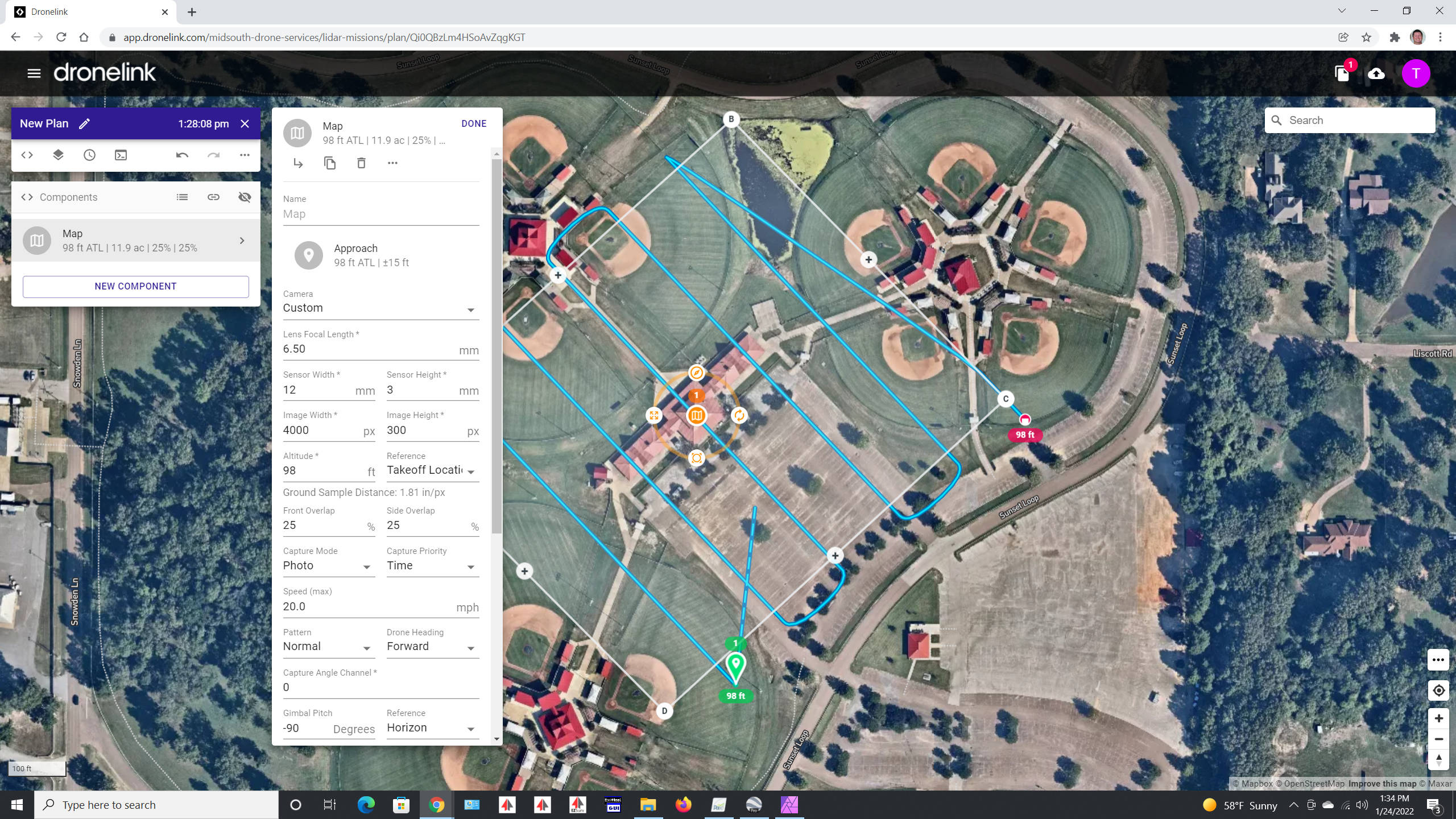
Just a followup. The camera "footprint" seems to scale up and down correctly with a specific sensor size entered. In otherwords, it is just a triangle calculation and the image footprint changes as it should. The Flight path is what does not scale properly as the altitude changes (for custom sensor). To fix this for right now, I simply change the focal length setting for various altitudes. The following seem to work pretty well and and should be close enough to achieve the 25% overlap needed (at least on screen!) Will be flying today and the datasets will be the ultimate judge.
These settings keep the overlap correct as altitude changes (for custom sensor)
Sensor Width 12mm (262 ft)
Sensor Width 11mm (200 ft)
Sensor Width 10mm (100 ft)
Thanks for posting this, plz let us know how it goes after the flight tests
There appears to be an error when rendering the FOV on the ground in some cases, but the actual math that generates the map path is correct. We are looking into making the FOV match the path.
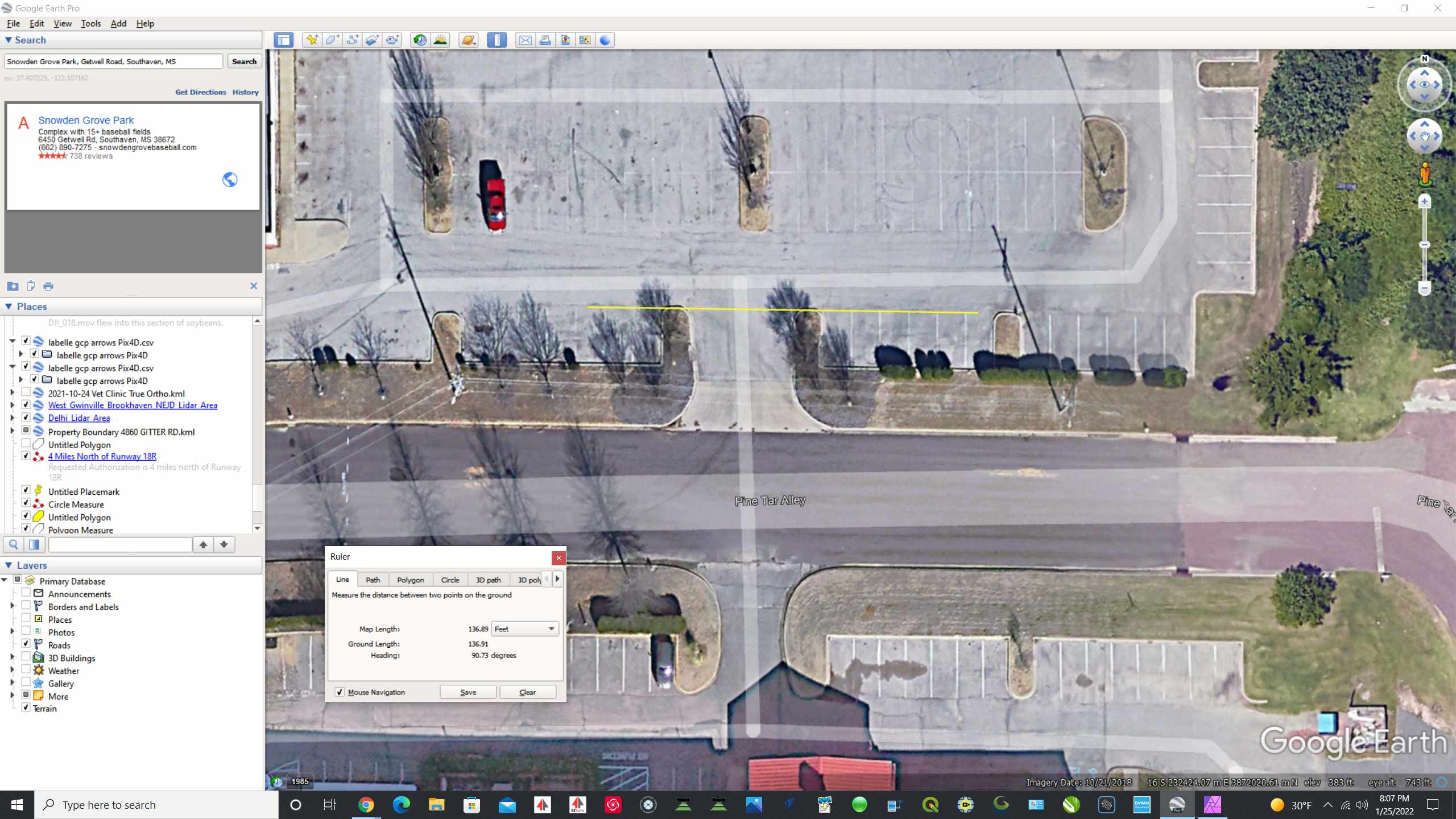
I created a chart to know my exact footprint at various heights with a 100° FOV. I used google earth to measure the footprint and positioned the mission so a flight line was precisely in the middle. In all the test, I did and measured, the FOV footprint was actually spot on every time. In the Beta version, it seemed to be slightly different. For a 100° FOV I set the Custom Sensor to 7mm FL, 12mm Width, 3mm Height (both flight and preview). That produced a very accurate footprint at various heights but the flight paths seemed to lack proper overlap as the altitude was reduced. The Beta version seems much better (more true overlap at lower altitudes). This is only for the Custom Camera settings. I did not test any other camera setting as I only use the Custom.
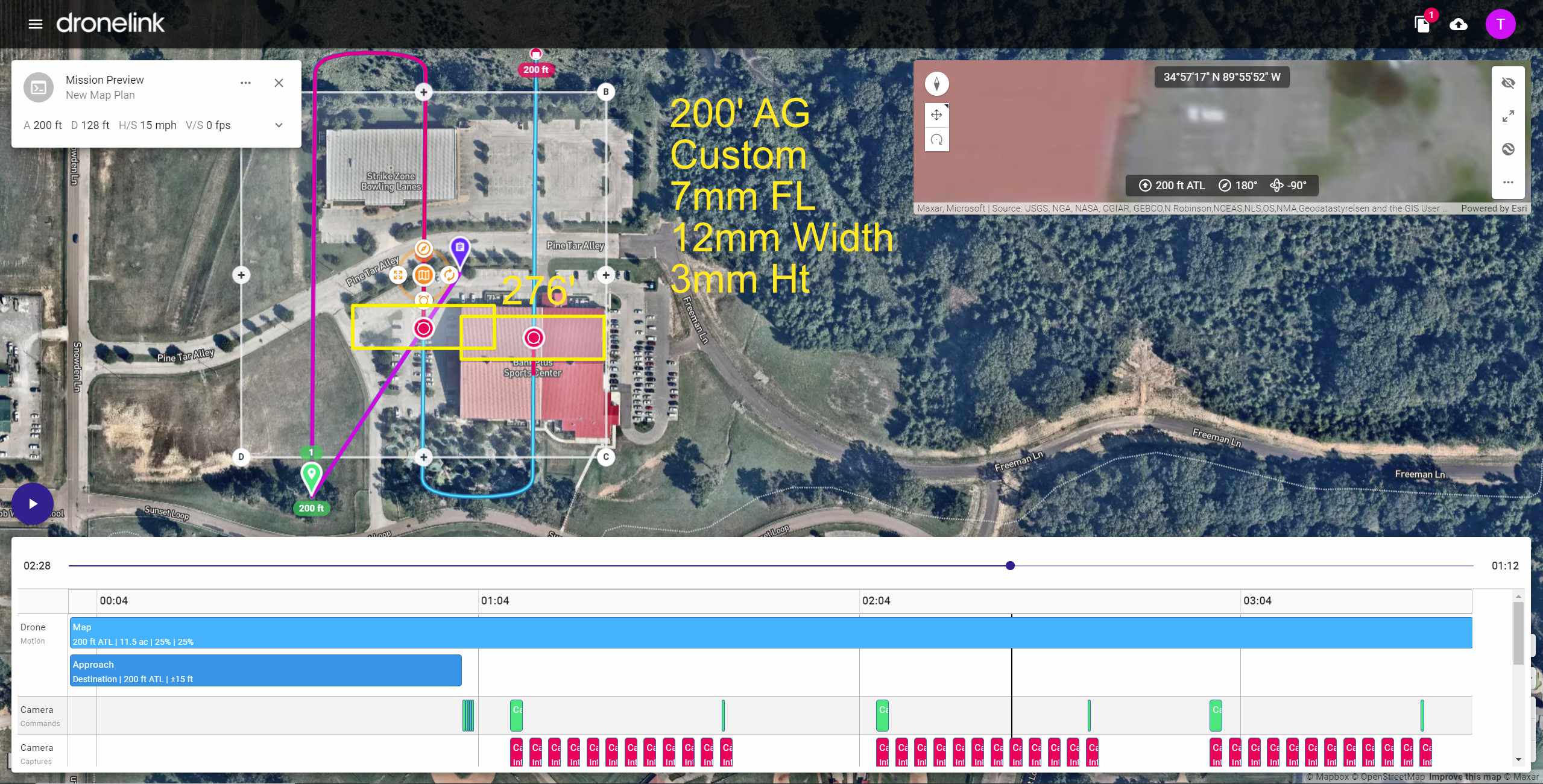
At 200' both match nicely, proper overlap, proper footprint.
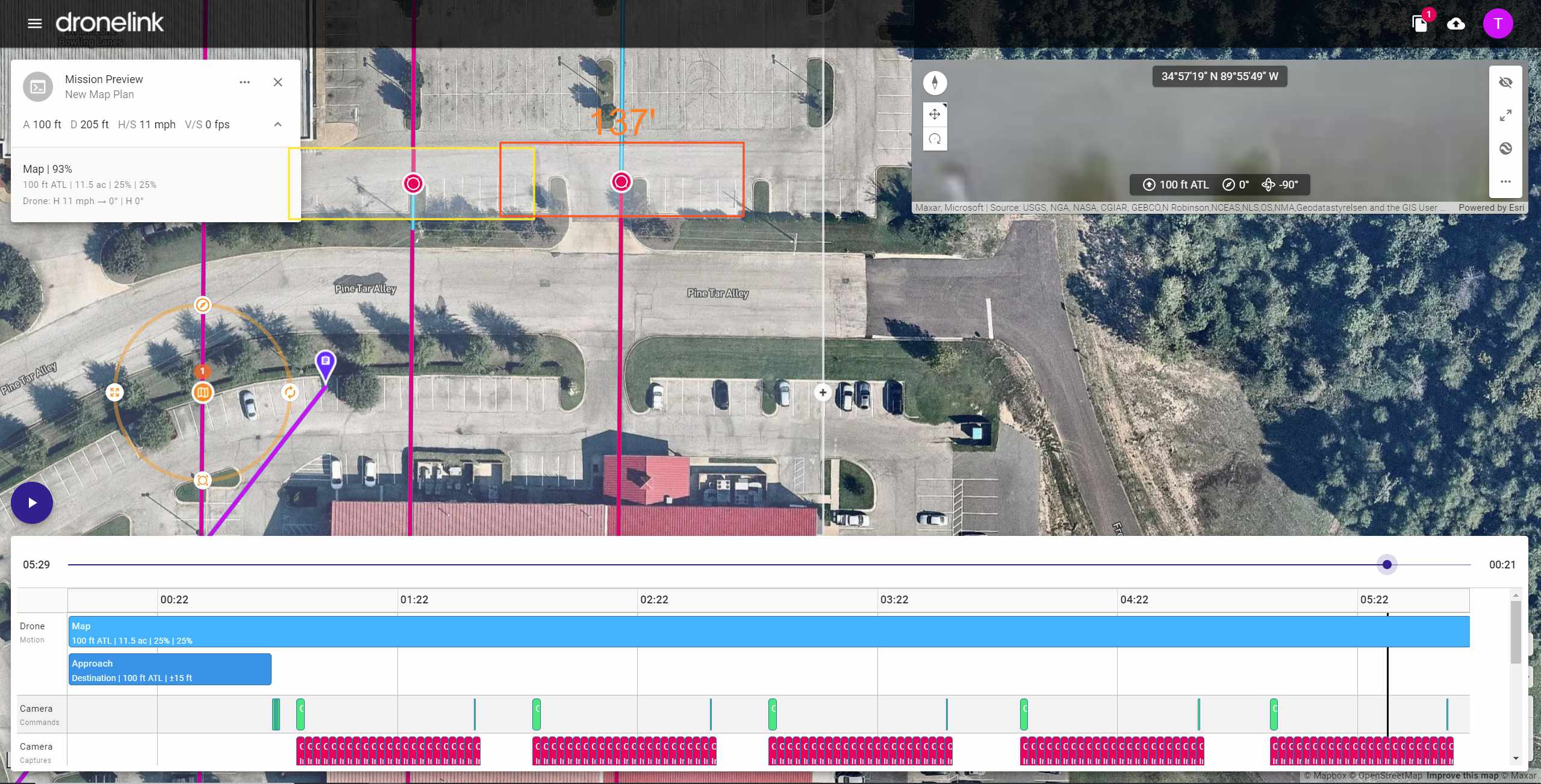
Google Earth showing 137' on parking lot which should be coverage at 100' (actually 98' to be precise)
Footprint is spot on, but the overlap is short of being 25%. It can be adjusted by changing FL in Map settings.
But by no means a show stopper :)
Thanks for verify and sharing, we found the same thing, it's spot on during actual capture, see attached. There will be an update in the web to fix what you are seeing in the Mission Preview. We appreciate the feedback and helping us find this!
Thanks Taylor! I did not get to fly DroneLink yesterday as I had other stuff take priority. But should get some good flights in today. I look forward to working with the data and seeing the results. Have a super duper day! Tim
Please sign in to leave a comment.