How to insert a saved "component" or flight into a new mission at new location ??

I have created two calibration flights that I want to refly at multiple locations. I have exported those flights as a *.dronelink files. How can I import those files into a new mission Plan at a NEW location?
When I search and go to the new location I need to fly, when I import the file, it takes me back to the geolocation where the file was created. I however, want to run the same exactly flight, but at a new location. Thanks for any help!
Tim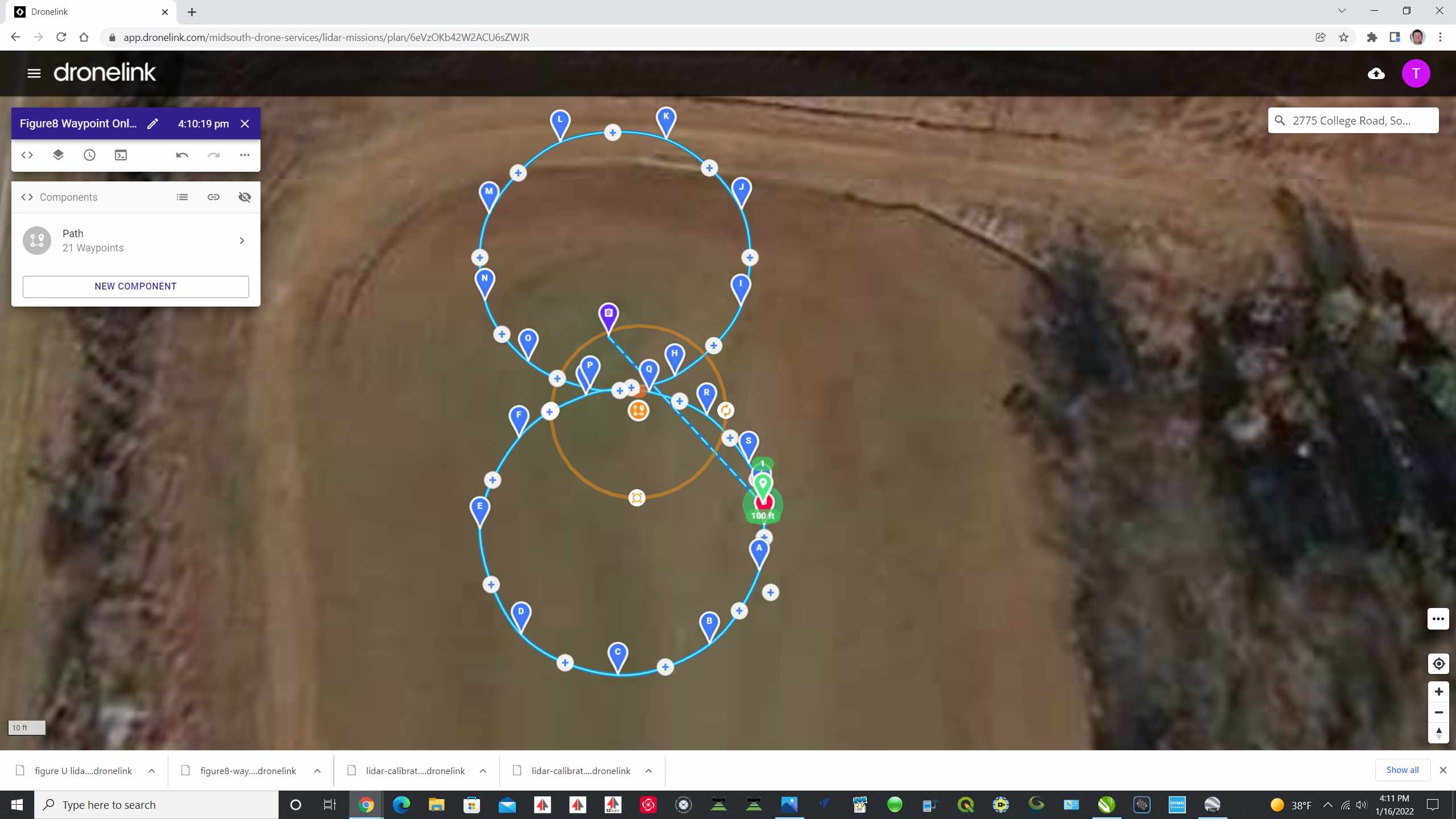
Comments
7 comments
Found video on components. Should have started there first :0
Components are the right way to go...but using the clipboard can also be a fast way to copy things between plans.
Here's a simple video showing how to do that. Hope that helps
https://screencast-o-matic.com/watch/c3VD3KVoGvp
Barry, you are da man!! That helped tremendously. I had created this in a flight first. So I went into the flight, copied the "waypoint mission component" but then I was not seeing the "Paste from clipboard" option. So now I have my component to insert into any flight. Thanks again for your help. Lovin DroneLink!!!
FlyinLo No problem. I'm glad it helped.
If you plan on using this often, I would recommend converting it into a component and using that. Components have the advantage that, if you decide to update it later, you can automatically (and optionally) update anything that used that component.
But...if you just need to reuse something once or twice, this is a nice easy way to do it.
I did exactly that. I copied the component to clipboard within the Waypoint mission I created, then I created a New Component and pasted it from the clipboard. And now it drops right in to any new mission anywhere. Thanks again for your help!
What I do is :
- I open the flight
- I select "Move Reference"
Your new flight is where you out the pointer before selecting Move Reference.
Don’t know if it answers the need.
That is certainly helpful! I do like the option of creating the component as it is very easy to just import that in. But your method seems pretty easy as well. Thanks for answering!
Please sign in to leave a comment.