Waypoint mission to DJI Waypoint problem

I have a question.
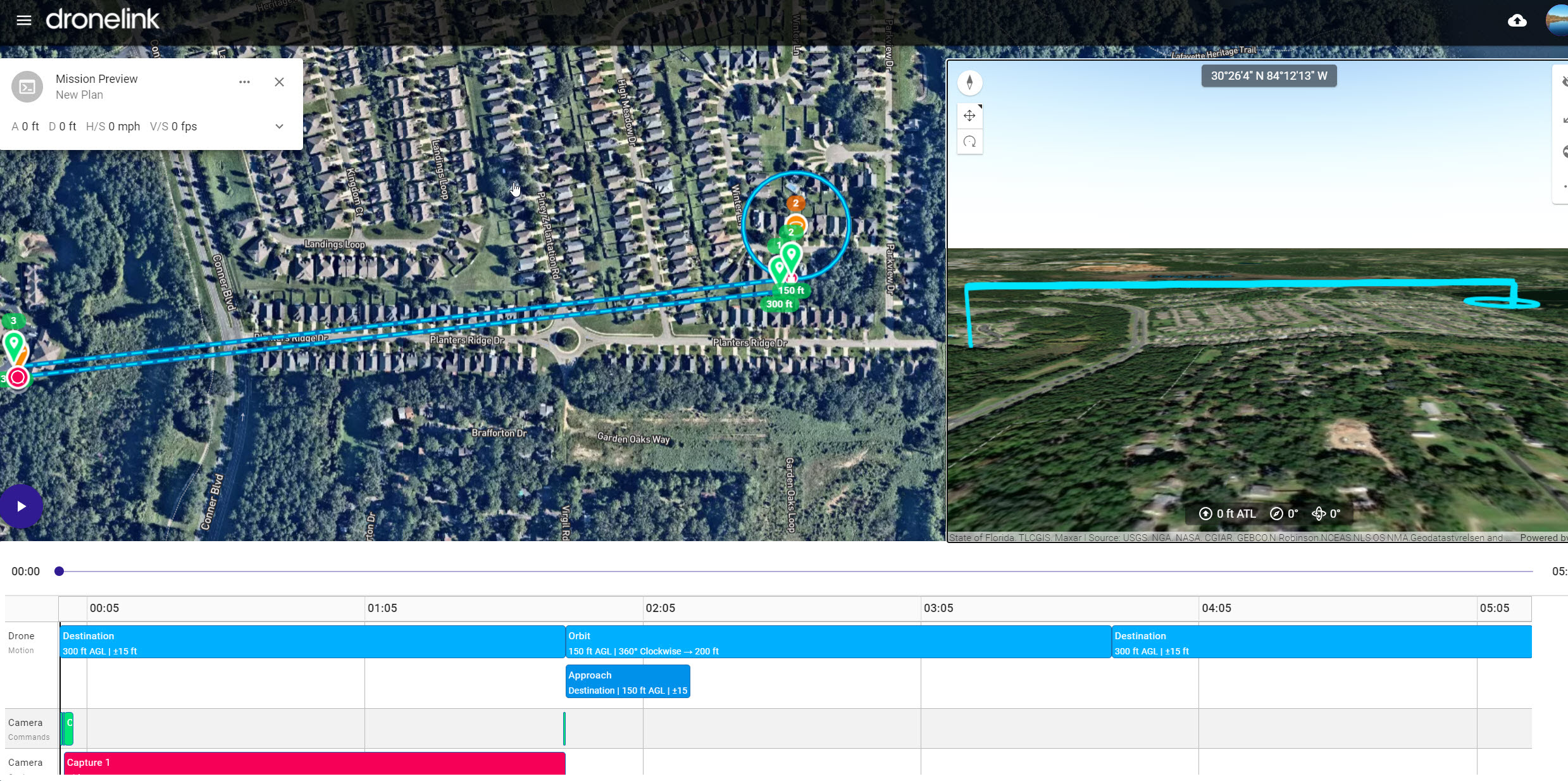
I have a Plan with 2 destinations and 1 Orbit. When I configure everything, both destination at 300FT altitude ground level and Orbit a 150FT ground level in the preview everything looks fine. Even in Google Earth export.
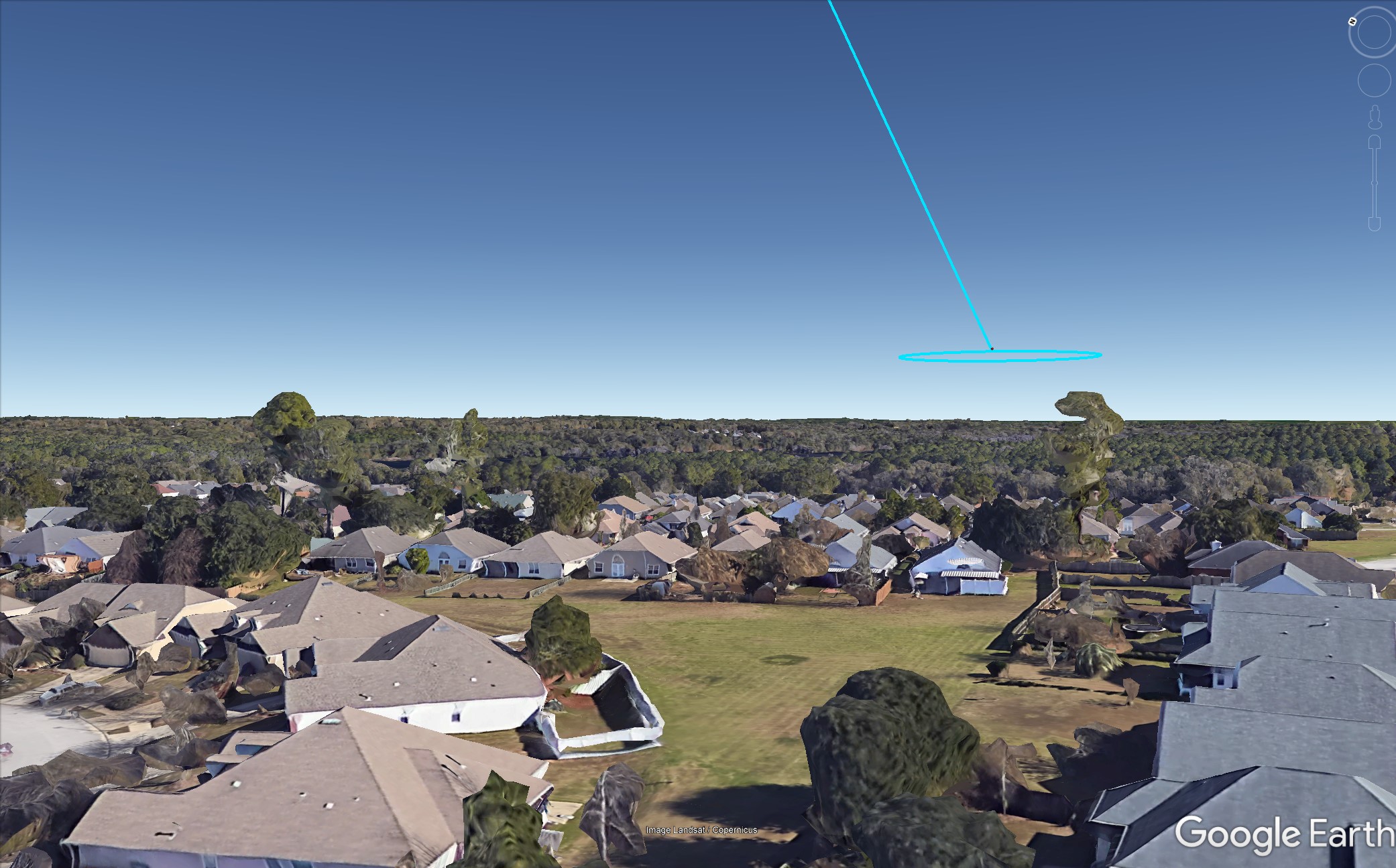
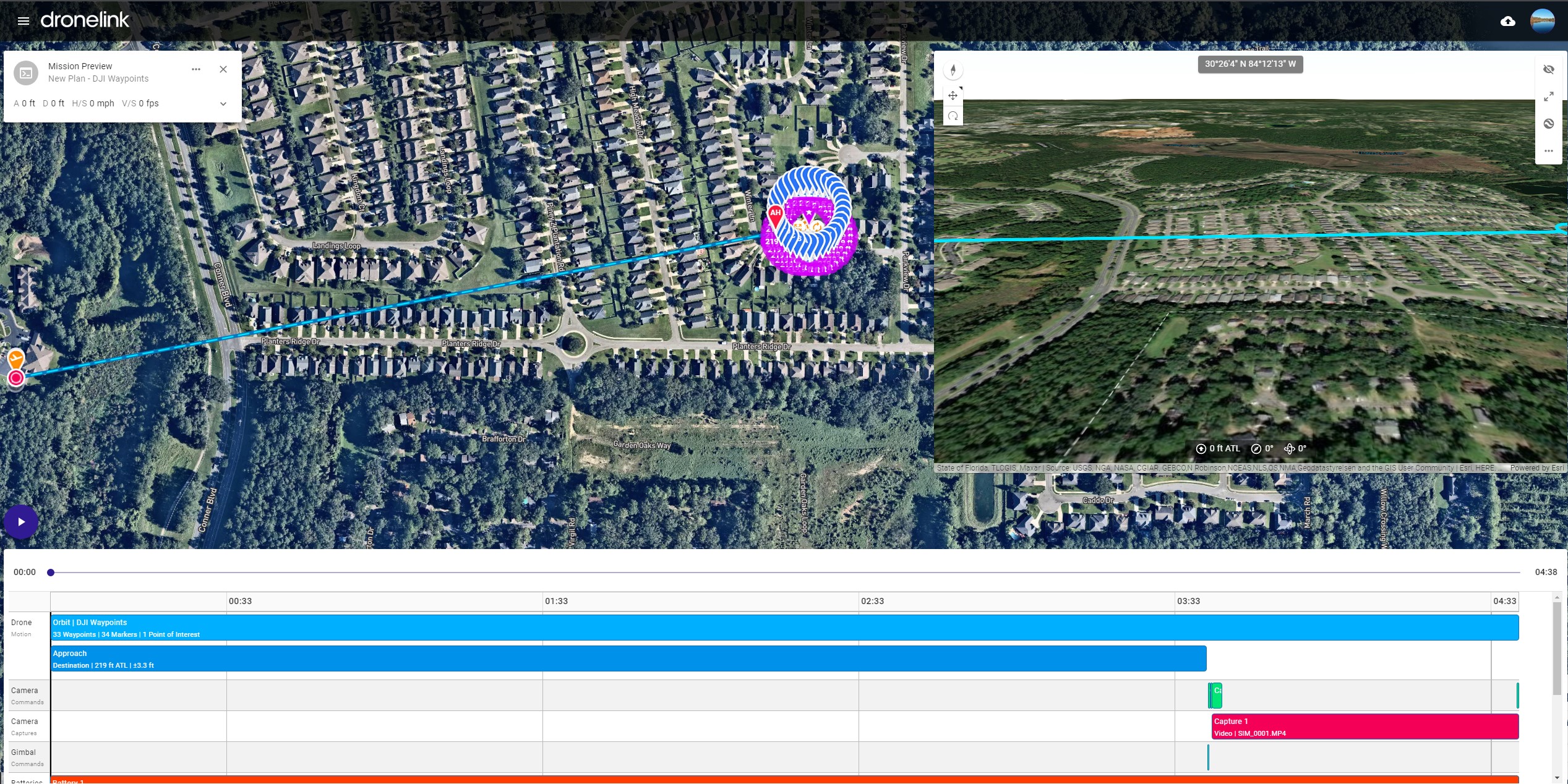
Then I convert the mission to DJI Waypoints. After export and saving in a new DJI waypoint mission checking the preview mission, the export does not reflect the 300FT altitude from the 2 destinations. Only the orbit altitude.
This will result in a crash and I have no way to fix that. Checking the export from the DJI Waypoint conversion shows the same result. I am including screenshots.
However, I find out if I change from ground level to take off level fix the problem.
The other problem is that running separate destinations when is going to go to the orbit step fail to load the mission. Deleting the destination leaving only the orbit works, but the problem is that i have a hill in the trajectory that is about 200FT and after the hill is my target that I want to take the orbit at 150-175FT so i have no way to tell go and fly higher in the approach and the go lower to take the orbit.

Comments
10 comments
I found the only workaround is to make the DJI mission in one piece. Then add more points (by the beginning and make the route in that way with different altitudes. That works for me and I tested in flight.
The limitation is if we add more components separately as a normal mission (no DJI waypoint) and then we convert that, the drone after finishing one component needs to reload the next part in the flight, and if you far do not work and fail. By making only one piece of the mission, everything is loaded to the drone only one time before take-off and finish successfully. Can this be fixed?
Please share the original mission plan that causes the issue.
Original Plan.
https://app.dronelink.com/nelvick-berrios/nelvick/plan/1Zf3hL4Eqnb3o5XEOAEa/C8jMkGmp7oVNlZ7YfUbv
Converted to DJI Waypoint.
https://app.dronelink.com/nelvick-berrios/nelvick/plan/EaJX77kZ4Su8BYYS8wOt/vpCmt5NWweEcS4mvmcBM
Work arround.
https://app.dronelink.com/nelvick-berrios/nelvick/plan/dnrhs2fQmE7jBUSbVXXV/LRYgQhisy4duB04nryIQ
The original and converted links above don't show it running into the ground in the previewer. Did something change?
The very original files I deleted yesterday since I figure out a workaround. However, the problem with loading destination to waypoints still persists. I can not do destination-orbit-destination and convert to DJI waypoints and make it work. The only way that works is to make the orbit, convert then modify the DJI waypoint by adding in A and the last Waypoint to make it fly to home in different altitudes so basically one pice.
I am going to try to duplicate the problem with the ground thing.
I just duplicated the problem
Here is the Link with the Normal waypoints with ground-level as altitude selected. The preview flight looks normal same as google earth export.
https://app.dronelink.com/nelvick-berrios/nelvick/plan/XO12J9LMAuBEZCi1QwLx/rvuD4KiFKcMOQxYufFCO
Here the project converted in DJI waypoints.
If you notice in the preview flight is going under the ground in one direction and then normal returning. Same if you export to google earth.
https://app.dronelink.com/nelvick-berrios/nelvick/plan/7mjVuEEqtK4MaL6AWocs/KVfNuriyUP2VA5rFe13Z
Another example. https://app.dronelink.com/nelvick-berrios/test/plan/zSJ14OXJgOFJ0EbbS3rt/OrME1absLLT88oJWejkx
Seems like the problem is when Ground-Level is selected as altitude. If I change to Take-off-Location the problem is resolved. The problem is that my take-off location is about 60FT lower or more than that location. I trust more in ground-level locations to avoid a crash.
Moving to bug reports. It looks like it isn't import the elevation model from the original plan into the converted plan. Work-around (until we fix it): once you save the converted plan, if you modify it in any way, it will force it to update the elevation model and correct the issue.
Please sign in to leave a comment.