Bug with White balance settings position.

Hello,
Playing with Firefox window height allows me or not to use camera white balance command :
First screenshot, I can use wb option at the bottom of the frame.
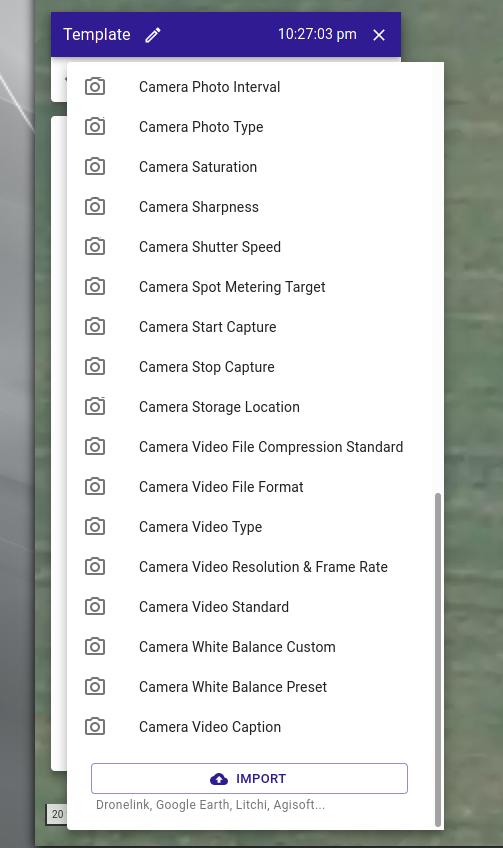
Second screenshot : I cannot. Options frame height slider is lowered to it's maximum.
But options frame is too low
I resize the window and I can select it again !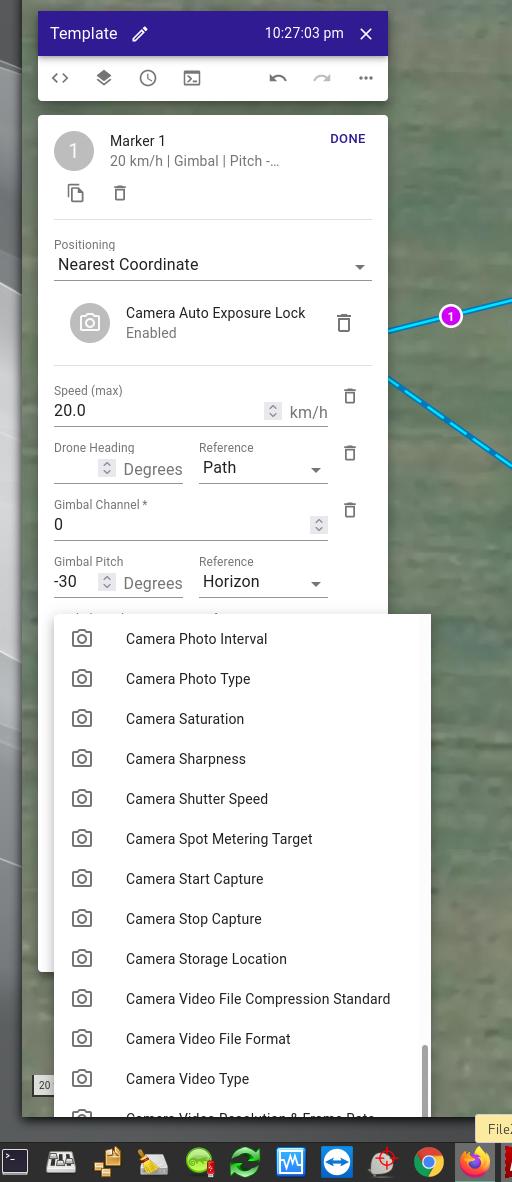
Comments
8 comments
👍
I just scroll. Never been an issue for me. 👌🏻
I tried using FIrefox, Google Chrome (Linux)
I tried using Edge (WIndows)
I tried using Safari (Catalina)
Same problem.
I tried another computer/screen
Same problem.
I started answering your message -> no submit button.
I reduced web browser width : Submit button appeared.
Same problem with dronelink web app !
To get the problem using dronelink :
- open a mission
- edit an existing marker
- click
ADD ANOTHER PARAMETER
Component
Command
Camera command
- scroll down : no Camera White Balance, Camera video Caption option, no Import button
- reduce window width : you can choose all missing options.
I cleared cache -> same problem.
Full screen mode -> same problem.
I would recommend just using the search field while adding commands - way faster anyway.
Thanks, no problem using the search field option. I will use it from now !
Narrowing my window is not a big issue, I just wanted to share.
Javascript window.innerHeight gives you the height without toolbars/scrollbars, but if you open an option frame at the bottom of the window, you might not see it's bottom, this is what I got before using your search field option.
That is very strange. I’ve used Firefox and Chrome on My Windows PC and my IPad & iPhone and always able to to scroll. Also used Safari on occasion and never had this issue. Sounds like one of those computer age issues which doesn’t make sense. As long as you get it to work then that’s what is important
Good luck.
Yes, very strange, if you are not concerned.
My working computer is based on an I9 10th gen, RTX 2060 super, 32 Gb ram, 850w PSU, nvme disk, 1 year old.
I also tried using an I7, 16Gb ram, 4 years old, ssd disk -> same problem.
Both of them updated (Arch Linux, Win10 21h1, and Catalina 10.5.4 hackintosh) (triple boot option) (64 bits of course)
Firefox 92.0.1
Google Chrome 94.0.4606.61
EDIT : I tried using Opera Web browser : same problem.
Map zoom factor does not solve my issue !
END of edit
Maybe latest Nvidia drivers ? I will try on another older computer and let you know.
But no Nvidia driver for Catalina, so, probably not the reason ...
Yes, resizing the window is easy, and Jim suggested search function, that is better ans faster !
"that’s what is important ." ... agree
Nevertheless, I will investigate, I'd like to know why, and I will post my findings (if any)
Dronelink is really "merveilleux" (I know the English word, but I prefer to write it in French.)
What I know : problem is not related to
- hardware
- operating system
- web browser
- project
Download this 3Mb video to see it !
Please sign in to leave a comment.