Top Auxiliary Light Command Not Working

Hi, This may be a bug. For both my M3E and M3T the Top Light On command does not seem to work. I would like to turn on the flashing Strobe wit this command: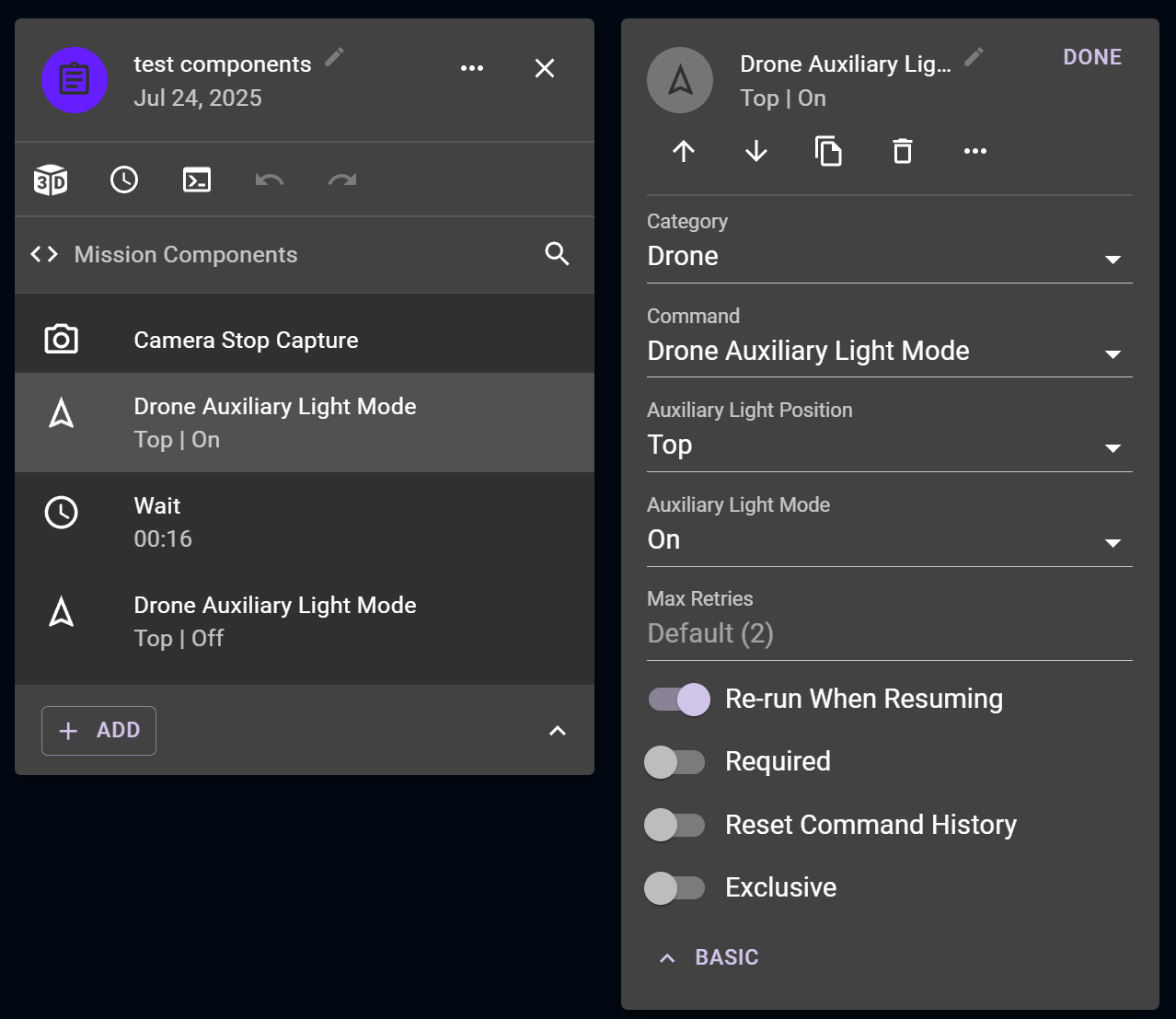
Hi, This may be a bug. For both my M3E and M3T the Top Light On command does not seem to work. I would like to turn on the flashing Strobe wit this command:
<%= block.description %>
<% } %>
Comments
7 comments
Only the bottom one was implemented for MSDKv5 drones.
Moving to feature requests.
OK, Thanks for the quick reply. Based on showing a "Top Position" "On" section, a RPIC gets a false sense of safety compliance. Would it be an easy implementation and can we get a commitment this will be in the next release please?
Like all other commands, we always recommend that you check the compatibility in the real world with your actual hardware as the mission planner options represent the superset of options across all hardware. As with all feature requests, we can't commit to implementing it, but you can always just turn the light on in DJI and then switch to Dronelink right now.
Since the command was available, I assumed it would work. Since it was not working I created just what you suggested - a Test components mission, where I tested a lot of things, but this command failed. I've spent hours on this, including researching blogs and actual testing to troubleshoot why the Bottom Light command worked, but the Top Light command would not.
So your position is every subscriber needs to test every command before use? MSDKv5 drones have avast user base now - including the Matrice 400, Matrice 350 RTK, Matrice 300 RTK, Matrice 30 Series, Mavic 3 Enterprise Series (3E, 3T, 3M), DJI Dock 3 (Matrice 4D/4TD), DJI Dock 2 (Matrice 3D/3TD), DJI Dock (Matrice 30 Series), Mini 4 Pro, Mini 3 Pro, Mini 3, Mavic 3, etc.
That is a very huge burden to put on this subscriber community Jim.
More context on our position: https://support.dronelink.com/hc/en-us/community/posts/360052726113-Verify-command-is-permitted-based-on-which-drone-is-used
Incidentally on this particular request to activate the strobe, I noticed that DroneDeploy (and yes, I think it terrible compared to Dronelink) does seem to have the ability to toggle the strobe, so there must be a way in the SDK now or DroneDeploy was given a private undocumented way to signal for the strobe. Hoping we can still get this into Dronelink at some point.
Please sign in to leave a comment.