DL can't switch between 12MP and 48MP(DJI Mini 4 Pro)
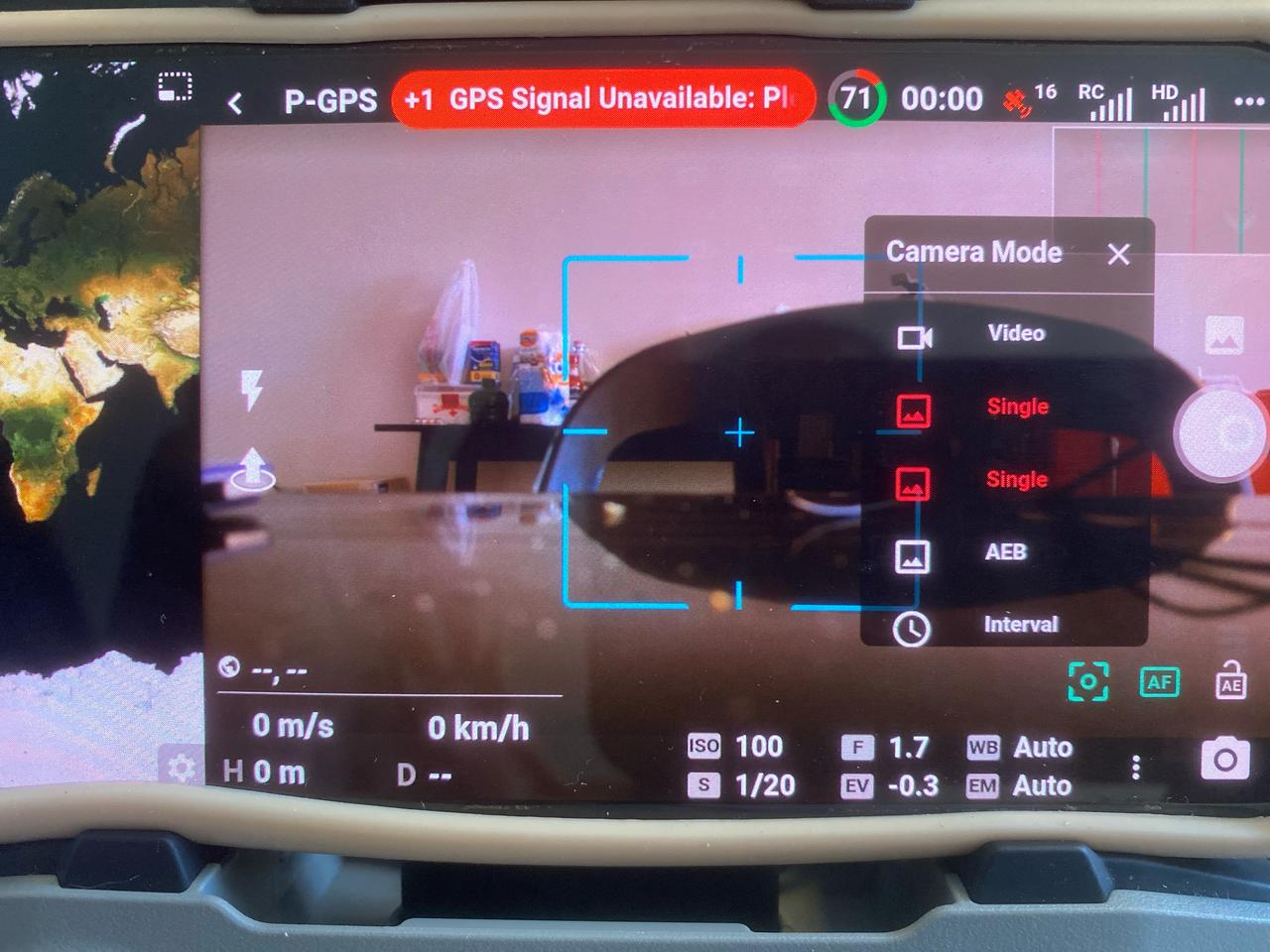
I tried to switch to 48MP images in waypoints missions without success (when I switch camera type to High Res the app shown an error indicating its unavailable - the last attempt with this mission). After a few research through existing posts I tried to take a still photo (without any mission) switching to 48MP but besides it shown 2 Single options (with the same label without any indication of what resolution is) it never happened.
So I closed DL, open Dji Fly and after switch to 48MP, closed dji fly and then photos taken from DL are in 48MP.
Comments
3 comments
Sounds like you figured it out. There are some things which need to be set up first in the Fly app. All settings stick across apps so once set your’e good to go.
Yes but the disorientation issue happened again. This time, i tried a lot of times to restart the drone and the DL and it refused to perform a very simple waypoint mission (did perfectly yesterday). It's still annoying.
Not sure what you mean by disorientation. I looked at your 360 photo component and it indicates you don’t have a stop capture added at the beginning of plan. That may be why since you always need to have a stop capture on any plan before capturing photos or even video. If you look at the top of the mission card it has a grey triangle which when you click on will indicate the possible issue.
Please sign in to leave a comment.