DJI RC2 KMZ replace - cannot navigate file system

I love the option to convert and export a given plan to a DJI waypoint compatible on-board mission type. I am unable to copy the KMZ file to the RC2 controller, however.
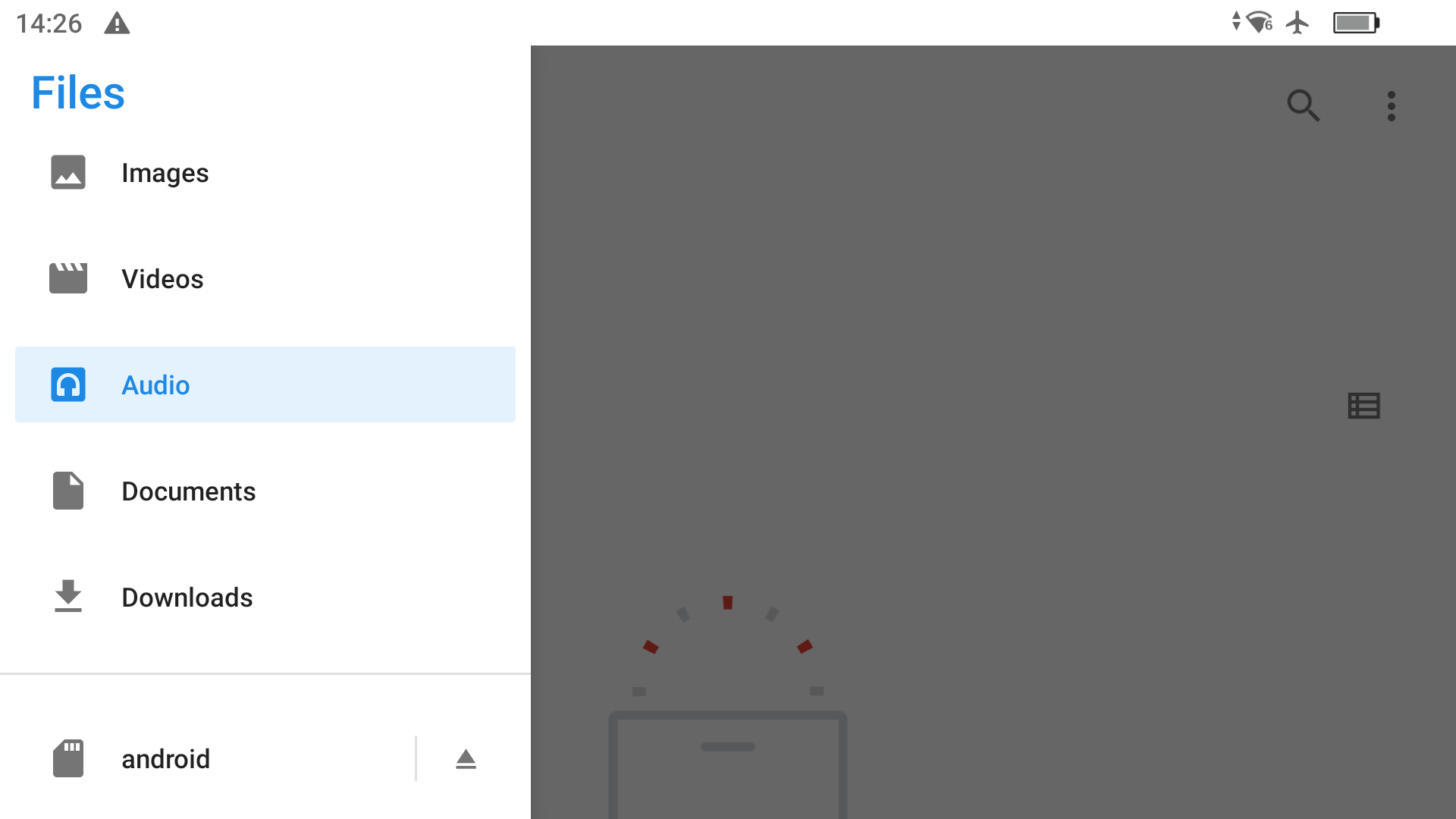
I followed this great guide to get to the file system(https://youtu.be/e6lXigUNBzE), however my RC2 does not show the "DJI RC" volume below "Downloads". If I have an mSD card inserted, that's been formatted by the controller, that volume shows as "Android", as expected.
If I try to connect the controller to my Mac running OpenMTP, I am also unable to see the volume.
Could it be that DJI, in the latest update, removed this capability?
It shows version as V1.17.1
Comments
3 comments
Did you convert the plan to a DJI Waypoints first and then export the KMZ into a folder. I don’t use Android Devices to include the RC controllers but I have no issues using my iPad with my Air 3. Check the link and make sure you have done it correctly. If you have done everything correctly then you should be having no problems as many others have the RC controllers. It is possible that you missed something. https://support.dronelink.com/hc/en-us/articles/4410621290387-Onboard-DJI-Waypoint-Missions-Convert-and-Export-to-KMZ
My issue has nothing to do with converting and exporting the plan. It is with the ability to browse the RC2's filesystem, to be able to replace the KMZ file. My RC2 does not allow showing the internal storage.
Screenshot shows that the internal storage does not appear- just the microSD card.
Since my post, I have been able to navigate using OpenMTP. I think the controller needed to reboot or something for things to work.
I've since found that using a Windows machine is more straightforward for the task.
Ok Neal, I was just trying to help. I figured it was something not related to the conversion and exporting but the way those controllers work. As Barry mentioned in the Video it’s kinda a pain to go through the process using the RC and RC2 controllers. Sounds like you figured it out. Enjoy.
Please sign in to leave a comment.