Mini 3 pro, mapping mission, erratic photo positions and exposure settings

Hi there,
I'm currently evaluating workflows with Mini 3 Pro, RC-N1, Dronelink Elite tier. Dronelink is running on a Redmi note 7 dedicated for it, which is a bit dated and gives a "low performance device" warning.
I have flown a similar double grid test mission over the same area, on two separate days with different weather conditions. I'm uploading Airdata in-flight wind estimation maps:
First day was cloudy, with average wind of 3.5 m/s and gusts up to 8.3 m/s.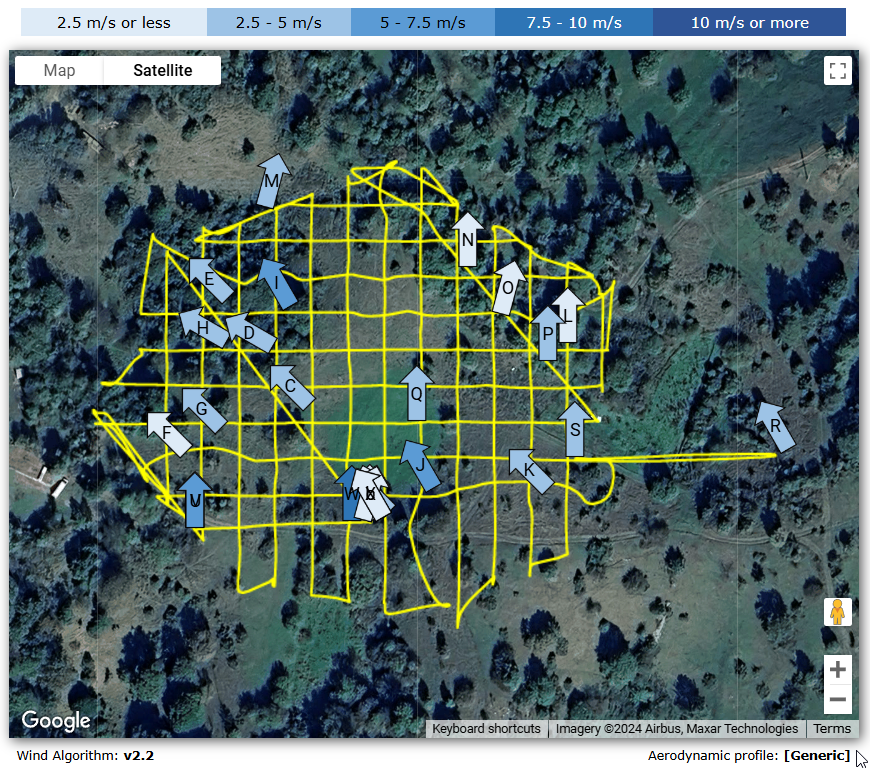
The second day was sunny with average wind of 3.5 m/s and gusts up to 5.3 m/s.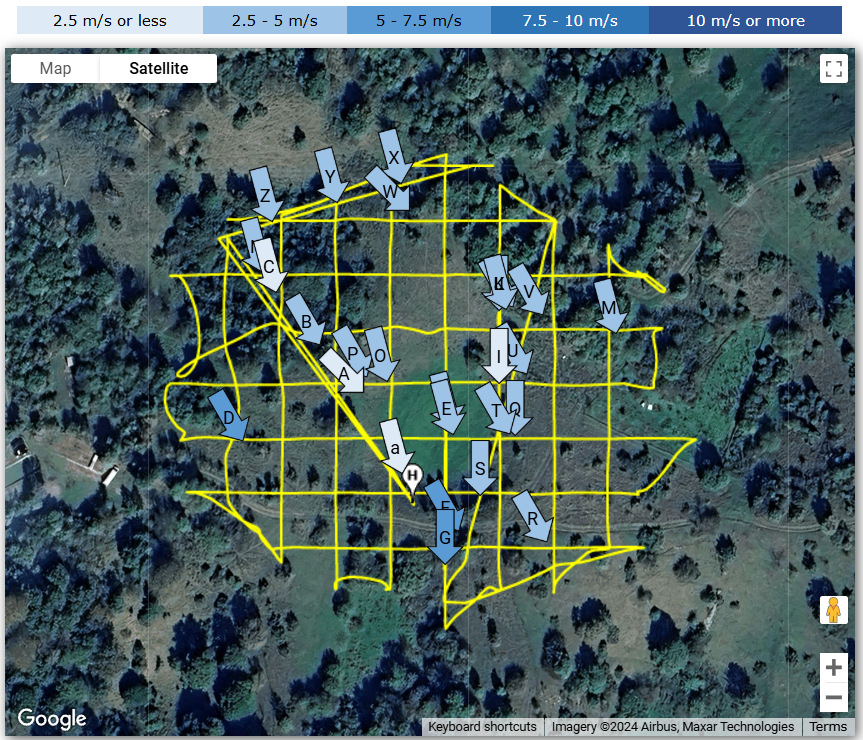
During both missions the drone slightly deviated from a course (which is not so much of a problem) and shot photos in wrong spatial intervals (which is a problem). Sometimes it would shoot to early or to late with regards to regular positions on a grid. I'm attaching the photo positions from Airdata:
Day 1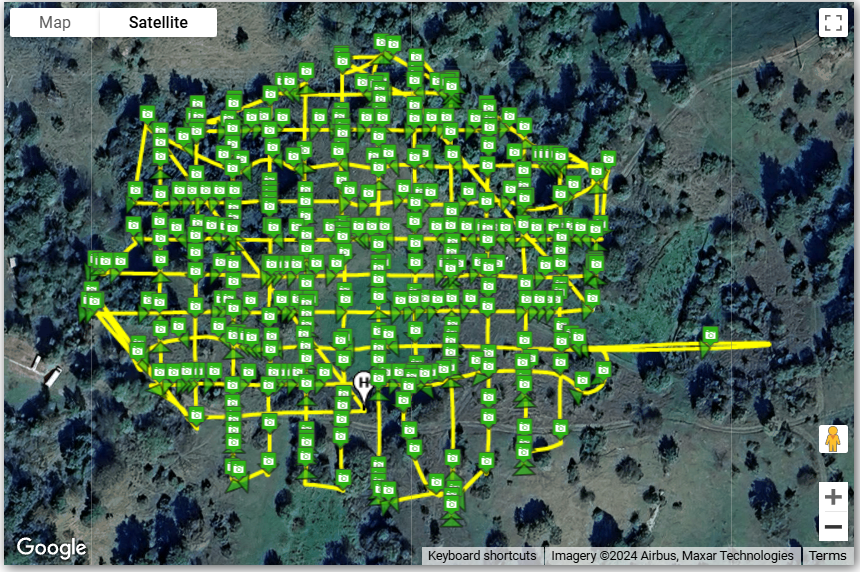
Day 2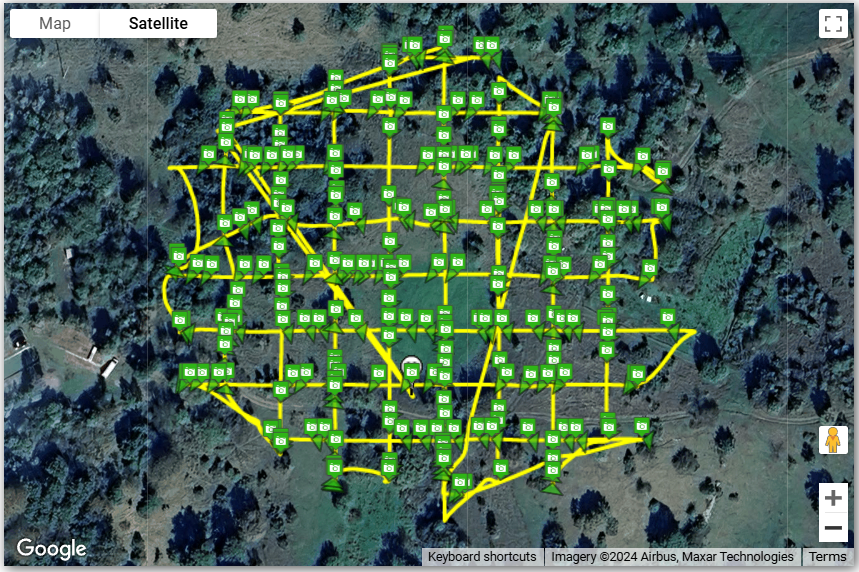
As can be seen on the maps, the photo positions along the flight path are quite awry - sometimes there are many photos grouped in a small space, followed by a long gap. On the first day there is a 70 m digression off course which isn't in correlation with wind direction.
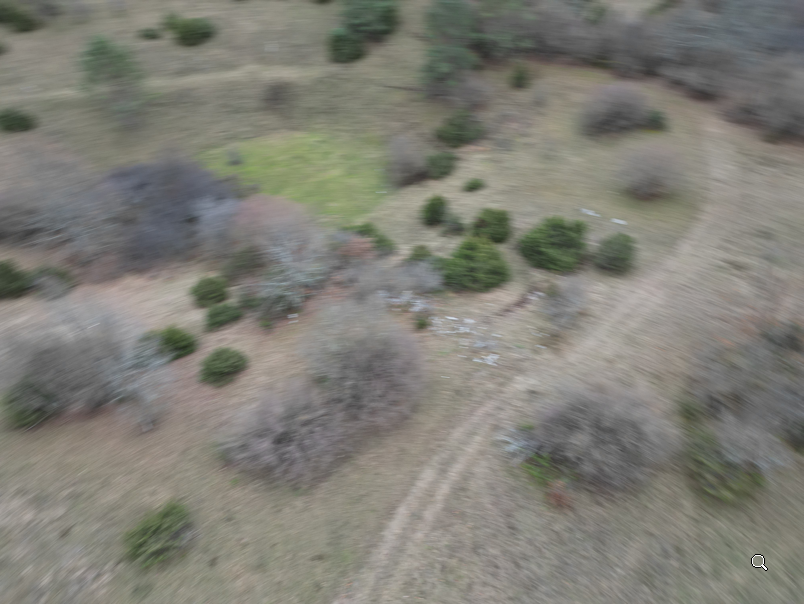
Also on the first day, the lighting was a bit subdued because of the clouds but i would consider it ideal because of diffuse lightning and lack of shadows. But shutter speed on auto settings dropped to as low as 1/60 while ISO mostly remained at 100 and photos were mostly motion blurred. This was especially pronounced on occasions where the automation decided to shoot a picture in the middle of a rotation - which in it self is not an expected behavior in mapping mission:
So, my questions would be:
- I have flown many mapping missions with Mavic 2 pro in much worse conditions using various different control apps, and while there were some deviations from course, the spacing of photos along the grid was always pretty regular. Is this behavior in case of Mini 3 pro and Dronelink a problem specfic to virtual flight sticks approach?
- Are my problems possibly related to a "low performance device" on which dronelink is running? There are no observable hickups in the user interface, it all seems to work ok. Before i upgrade the device which is otherwise fine i would at least like to know if this really is a possible cause.
- If this is inherent to the virtual sticks approach, what measures could i take to lessen the severity of this problems? There's almost always going to be some wind in the area i'm flying in, and larger drone is often not an option because of legal considerations.
- Is this really about the wind at all or mostly something else? I haven't had a chance to test it in totally still conditions.
- Is there a way to set a minimum shutter speed, forcing the auto mode to raise ISO instead? Right now in app i only see a choice of "full auto" vs "full manual" settings.
I'm otherwise very impressed with the possibilities and advanced control which Dronelink offers. I would be much obliged for any suggestions and answers which could make it work for my intended purpose.
Best regards,
Comments
5 comments
For the course deviations, fly slower so the drone / Dronelink have more authority to fight the wind.
For the image grouping, fly in an area with less RF interference, fly closer to the controller, or use Time based capture priority instead of Distance (which sets the camera into interval photo mode).
You can set the camera to whatever settings you want before the mission and tell the map component to do nothing to the camera.
Thank you for a fast answer Jim! If i could just ask for a few more clarifications:
Some photos are practically beside eachother and then there are large gaps with no pictures. Some are taken while turning...
I wouldn’t rule out the device, but I would address the other concerns before spending money on a new device.
On the image positions, just try the Time based capture priority and compare.
Thanks to everybody for a quick take on this. I will try your suggestions in the following days and see how it goes.
Hey everybody, i just wanted to post my progress on this for the benefit of anybody experiencing similar symptoms and for app developers. So, after several outings it seems that the culprit was an underpowered device. Bellow i will post comparable data from a flight which i performed under worse conditions than the ones posted above - the only difference is a change of device to a more modern one (Nokia XR20):
Despite worse conditions, the flight grid is practically perfect and spacing of photos is orderly. It seems that the old device was simply overwhelmed by demands of real time control.
Anyway i hope this helps someone.
Please sign in to leave a comment.