MA2 Map error.

I'm really enjoying using dronelink. I learned a lot from the forums and worked around a couple issues. My latest deals with planning a Map mission. I got the "217" error and found a couple posts about it. I tried setting up a list and issuing the "Camera Photo Type: Interval" and "Camera Photo File Format: JPEG" that I saw mentioned. I did this before the map component. That didn't work. So I tried setting up the same list as an "Immediate" component. Then I got this error:
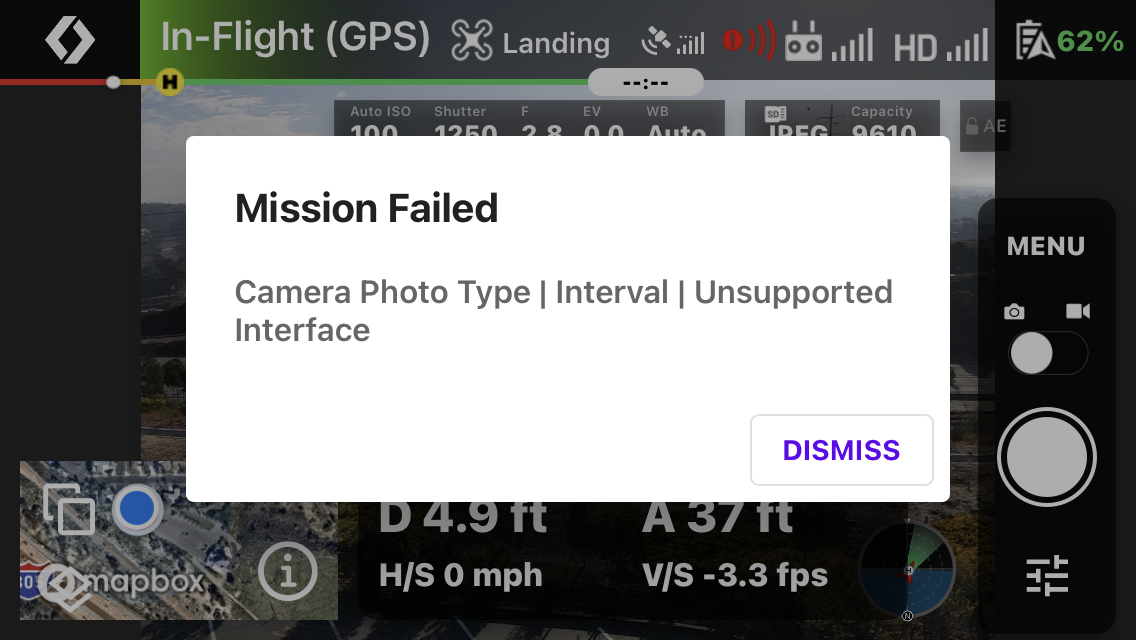
I don't see any mention of this in the forums so perhaps this is a very obscure error.
Here's my mission:
I'm using an iPhone SE 2020 and Dronelink Version 2.0.1 (136) Kernel Version 2.0.1
James
Comments
9 comments
All the various camera issues with the MA2 on the beta are essentially the same underlying issue, which we are still investigating.
Hi James. As Jim stated they are working in these issues. However, I looked at your mission and there appear to be a few commands missing. You set photo Interval but you didn’t set what the interval amount is. Also no start camera listed. Unless I missed something in Your mission plan you should redo it to something like this.
Photo, JPEG, interval, intervals 4 seconds, Start Capture. You can input how many seconds you want but you must put in the command after the interval command.
Here is a basic photo list command I made. Hope this helps. You may still get errors but they are working on it. Once fully up and running this mission app is great.
https://app.dronelink.com/wyldwestaz/general-photo-intervals/component/N7PEI0Ai4PjXiwlJFAOv/ei003E9TYb5K3IGVQkqq
I assumed that the interval was set in the Map component. There is an entry there so I didn't think setting an interval was necessary. Also, when I looked at the mission in preview mode. there are groupings of "Start capture; a group of photos; Stop capture" so I assumed all that was OK.
I'm afraid I am unable to access the link you supplied in your response. I get an "Unable to view this page" error
https://app.dronelink.com/wyldwestaz/general-photo-intervals/component/N7PEI0Ai4PjXiwlJFAOv/gXKXMoCkjqR5Gx9krPQn
I just ran James' original mission and it worked without errors on Build 137. Is it working for you now James?
I have build 136. Don't see 137 available in TestFlight.
The mission worked perfectly with build 137. Thanks for the update!
👍
Please sign in to leave a comment.