No log uploaded to Airdata when flying mission

Hi,
I'm using Mavic 2 Zoom & Mavic Mini. Xiaomi Redmi Note 5 Pro, Android 9. Dronelink 1.7.2 (117) Kernel 1.7.0. I used to start the mission with this steps :
1. Turn on AC & RC
2. Start Dji Go 4/Fly
3. Fly AC a little bit until GPS sattelite got (minimum) 11
4. Close Dji Go 4/Fly and close the background process to for it
5. Start Dronelink
6. Start the mission.
After a few mission, I realize that Dronelink doesn't upload the flight log to Airdata. I've set the token correctly. The only log updated was the log when I fly with Dji Apps (step 3) but the log along the mission is never uploaded. I search the log files manually in Dronelink folder on Android, but no files and even folder in it.
Do I done it wrongly?Any suggestion please.
Thank you
(Sorry for my bad English)
Comments
8 comments
The Airdata integration is working on our test devices right now. Can you please try a mission where you takeoff and land entirely in Dronelink.
Thx for the respons. I'll try it tomorrow.
Hi Jim, this morning I try 1 mission with 2 AC (Mavic Mini & M2 Zoom), both start right away with DL (not opening DJI Apps att al). But still not a single log exist. I check the folder...nothing to except an olds log files.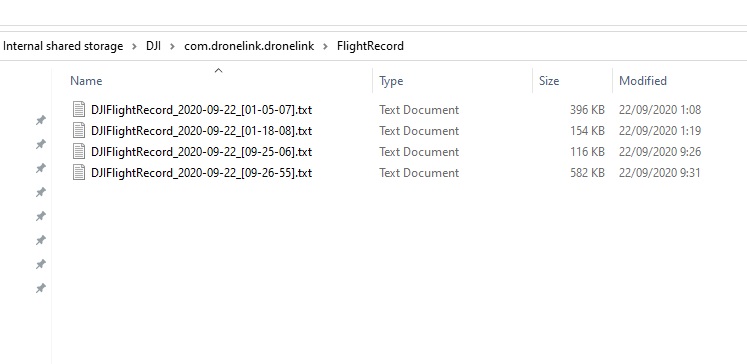
Thanks for the report. We have found and corrected the issue. The fix will be in 1.7.3, which should be released this week.
Ok Jim, thx for your attention to this problem.
Seems that the log is ok now.Thx jim
Great, thanks for confirming!
Please sign in to leave a comment.