During the mission developing in some places there is not enough space to check or setup parameters

Dear All,
When I want to check or set parameters during the mission planning there is not enough place for viewing the actual setting. See the attached picture.
Gábor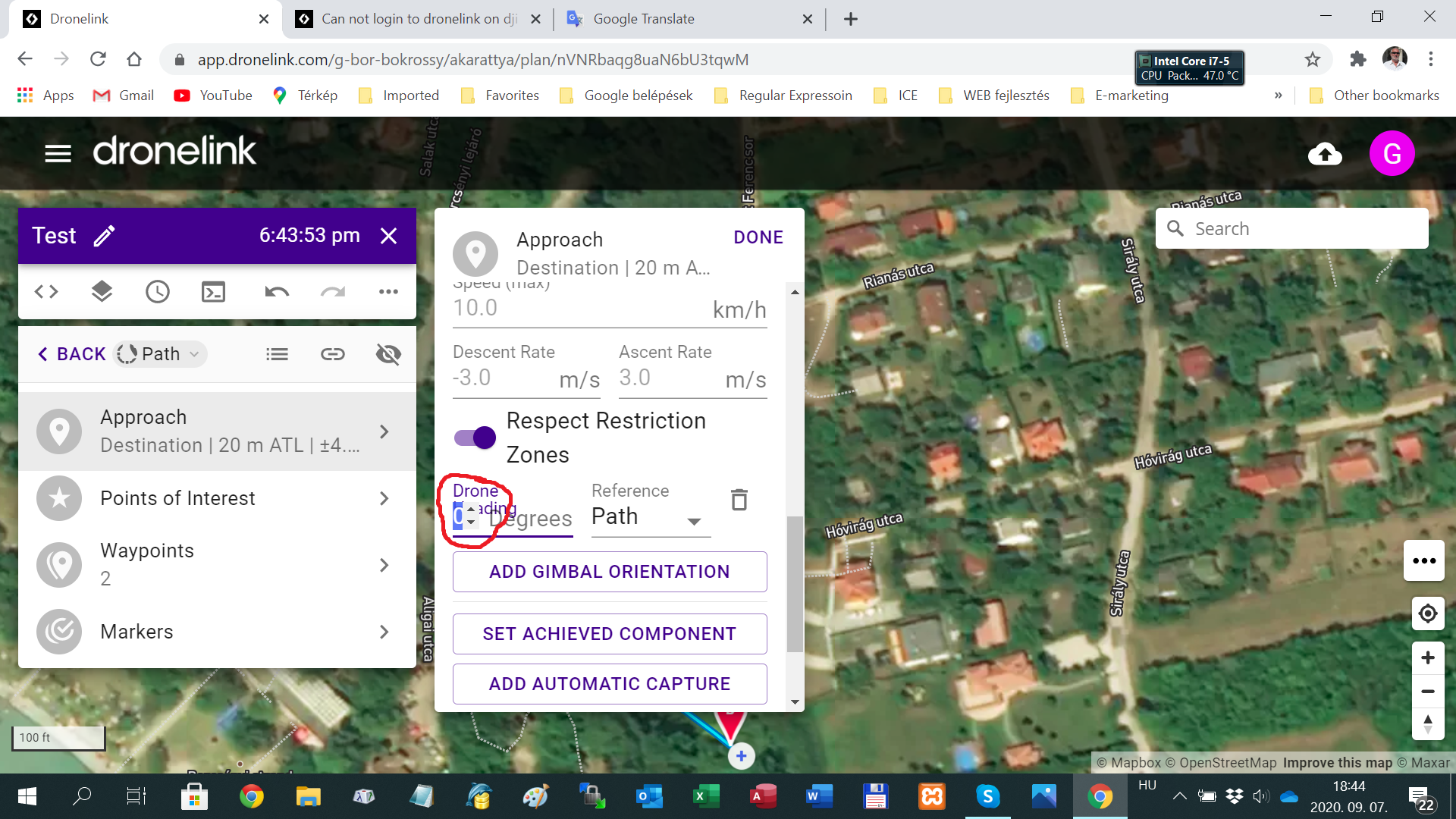
Comments
6 comments
The web app does not react well when you have large fonts enabled.
Thank you Jim! I really used large fonts. On the other hand I have a small thing still with those degrees: your interpreter does allow to put there negatív value, but it doesn't allow to accept it! If you put negatív value it replaces by "0". Even with your arrows you can decrease the value to negative number. You should not allow this if after it you replace the negative numbers by 0. It is a small thing, but the devil is in the details.
Gábor
You want to specify -90 instead of 270 for some reason?
If you want to turn left 90 degree you do not turn right 270 degree... Sorry!
Okay that is the real feature request. Right now the code just calculates the shortest direction of rotation given the desired heading. You are wanting to force a certain rotation direction using the sign.
What I wanted to tell to you it is: your own interface allows to create negative number by clicking the arrow down several times. Than the field check feels that the number is negative and clears it and put 0 to the field. It would be better behavior not to allow to put "-" sign into the field and not to decrease the field if it is already "0". It is another think that for me it is natural to use negative number if I want to turn the drone left. It was a good info that the code calculates the shortest turn to the requested direction.
Please sign in to leave a comment.