<%= partial('partial-article-list-sections', {
id: 'category-' + category.id,
parentId: '#sidebar-article-navigation',
sections: category.sections,
activeCategoryId: activeCategoryId,
activeSectionId: activeSectionId,
activeArticleId: activeArticleId,
partial: partial
}) %>
<% }); %>

Comments
8 comments
Some details:
Mobile device: iPhone 8
IOS version: 13.6.1
Drone: Mavic Mini
Too much wind for a small drone to stay on the defined path?
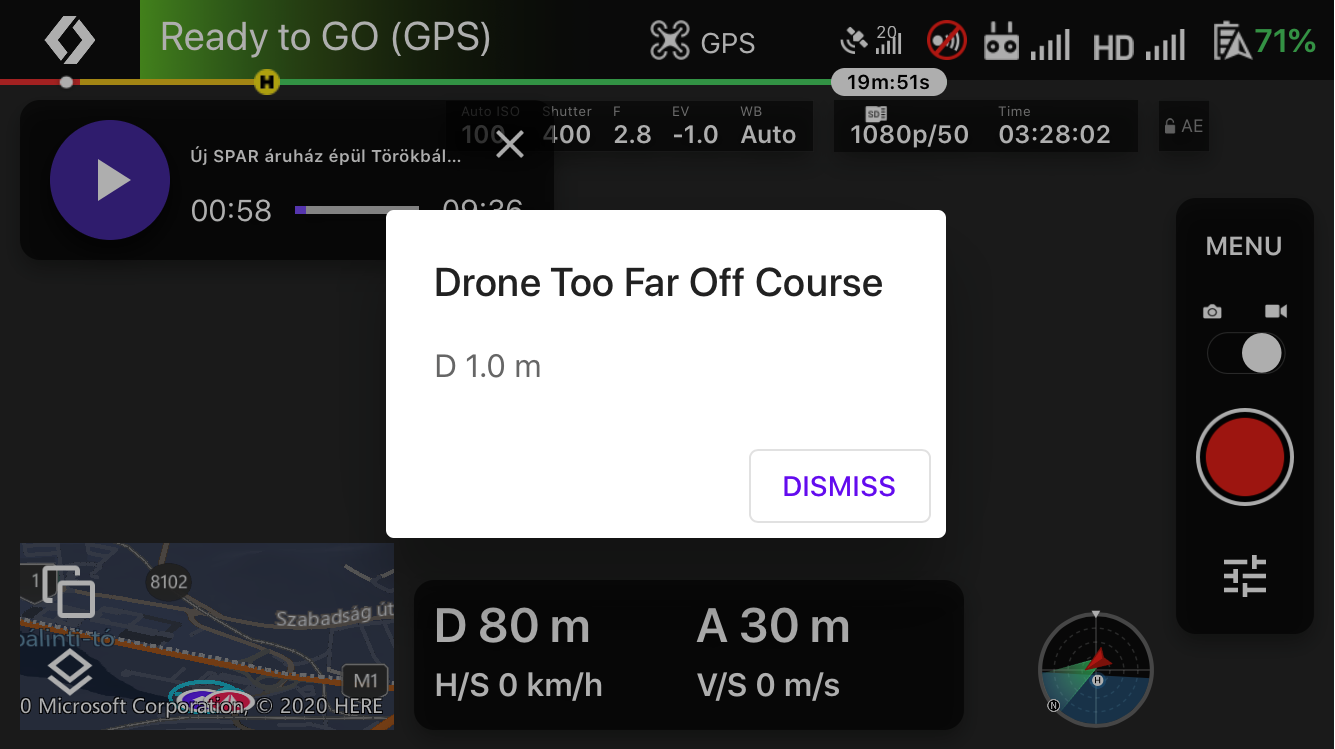
It looks like you changed the Motion Tolerance in the plan settings to very small numbers, and your drone cannot stay that close to the planned course (due to wind, size, etc).
First of all there was no wind or just a very small wind. The application didn't send "Too much wind" warning. I got several times the same result. Originally I put 1M for the Range tolerance, but after receiving this error message I corrected it to 3 meters. The problem is that this correction didn't help. You can see my Orbit component (which was aborted) here: https://www.dropbox.com/sh/eznwzd9wddj7618/AACZGSUPq76yXmTkUrcKH5pWa?dl=0
Hi, I also got the same error today during a couple of missions with the Mavic mini. There was not much wind.
I think you are misunderstanding the purpose of this setting. Changing it to a smaller number does not make the drone adhere to the path better, it just makes the mission disengage with this error message sooner. The reason to make it smaller is if you are worried that the drone will fly off course (due to wind or other factors) and by doing so it would be unsafe. My guess is what you are actually looking for is a setting for how aggressive the flight controller should be about closing the error gap vs using the flight performance envelope for the originally programmed maneuvers. We actually have such a setting in the code (it is called droneMotionErrorLimits), but it is not exposed in the UI yet as it is unclear how a normal user would even know what to set it to. This is something we are still looking into.
@Jim:
There already are settings in the DL sw which are difficult to an average DL sw user :-) This can be seen very well by reading the questions here. I prefer to see these kind of advanced settings, even if I don't right away understand those. I would love to see Eric adding one new 101 video where he would open up those advanced settings which seem to puzzle people the most.
Will add it to the mile-long list :)
Please sign in to leave a comment.