Dronelink + timelapse

Good Eve!
I've been playing with DroneLink for the last week, and I'm trying to figure out the component list for doing a timelapse.
First and foremost, I'm running one of two drones. Either a Mavic Pro 2, or a Mavic Mini.
In this case I tried both.
I can get the path set, correct speed, POI, and altitude, and if I want to do it manually on the MM I can set the interval to 2 sec, and it'll do exactly what I want it to.
I'm trying to get the MP2 to do the auto timelapse using the Timelapse component. When I set everything to the same, and swap out the capture type to timelapse, I can never get a capture to start.
I know it'll work, it's just finding the correct components and get them listed and stepped properly.
Anyone have any ideas?
Nick.
Comments
10 comments
Not sure if this will help you, but we have a hyperlapse example.
Yep, that one I can do without an issue.
Was looking more at doing what's attached in the photo.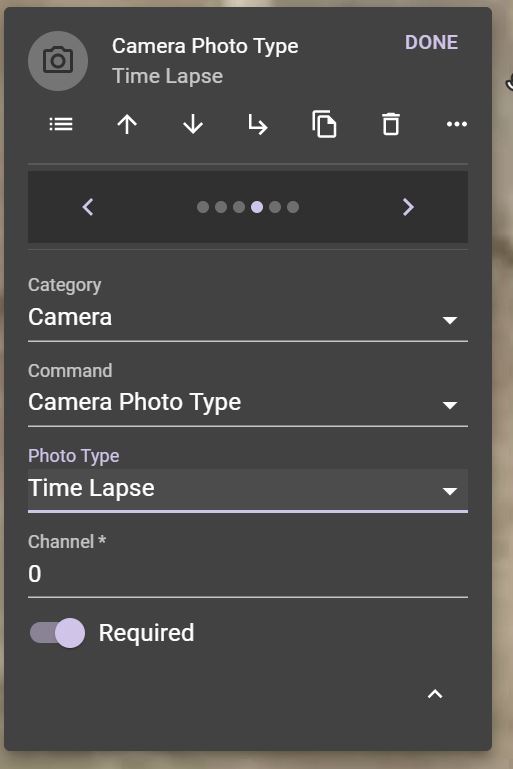
From what I'm gathering, it should be a setup as a photo, then maybe compiles at the end if the respective app does it? Not sure.
The photo type drop down just shows all the available options in the DJI SDK, and it does not guarantee that your drone will support it. The rule of thumb is, if you can't do it in DJI GO / Fly, don't try it as a command.
Correct yes. But the Mavic Pro 2 DOES have the Hyperlapse feature. Was hoping I could get it to roll out of box. I can manual it, not a big deal. Just wanted to see if anyone had it go.
Jim McAndrew thanks for the Hyperlapse example link. I can see in the Camera Components is set to 'interval' photo type. Is there a way to do a hyperlapse but get the drone to stop during camera exposures that are longer e.g. 1 second exposure. Or is there a way to do a construct a flight between to way points and get the drone to stop moving for each exposure? Thanks.
You would have to use many destination components, which would be tedious to plan normally. Theoretically you could write a function to automate that (like these), but you have to have javascript knowledge.
Jim McAndrew Thank you , is writing and implementing a function possible (no additional cost) with a premium account? I had a look in Dronelink GitHub and some examples of functions on YouTube, but could find SDK details or examples of writing a function from scratch, element documentation ( I know JavaScript). Thanks.
I've read that I would need to upgrade to a Hobbyist Elite account , but cant find a tutorial on creating a custom function. thanks
Custom functions are in the Elite plan (and business plans). Click here to compare features between plans.
Another alternative is you can write a stand-alone script that generates a mission plan in the Dronelink format (json). The typings for this format can be found on our Github page. Once you have a valid mission plan file, you can just import it into your account in any repo.
Thanks Jim McAndrew . I created a test flight plan in Dronelink and now I can see the JSON (below) but is there documentation for this schema (the 'typings' are very usual thanks) , is it a case of bit of reverse engineering to figure out what I need to build and import a plan?
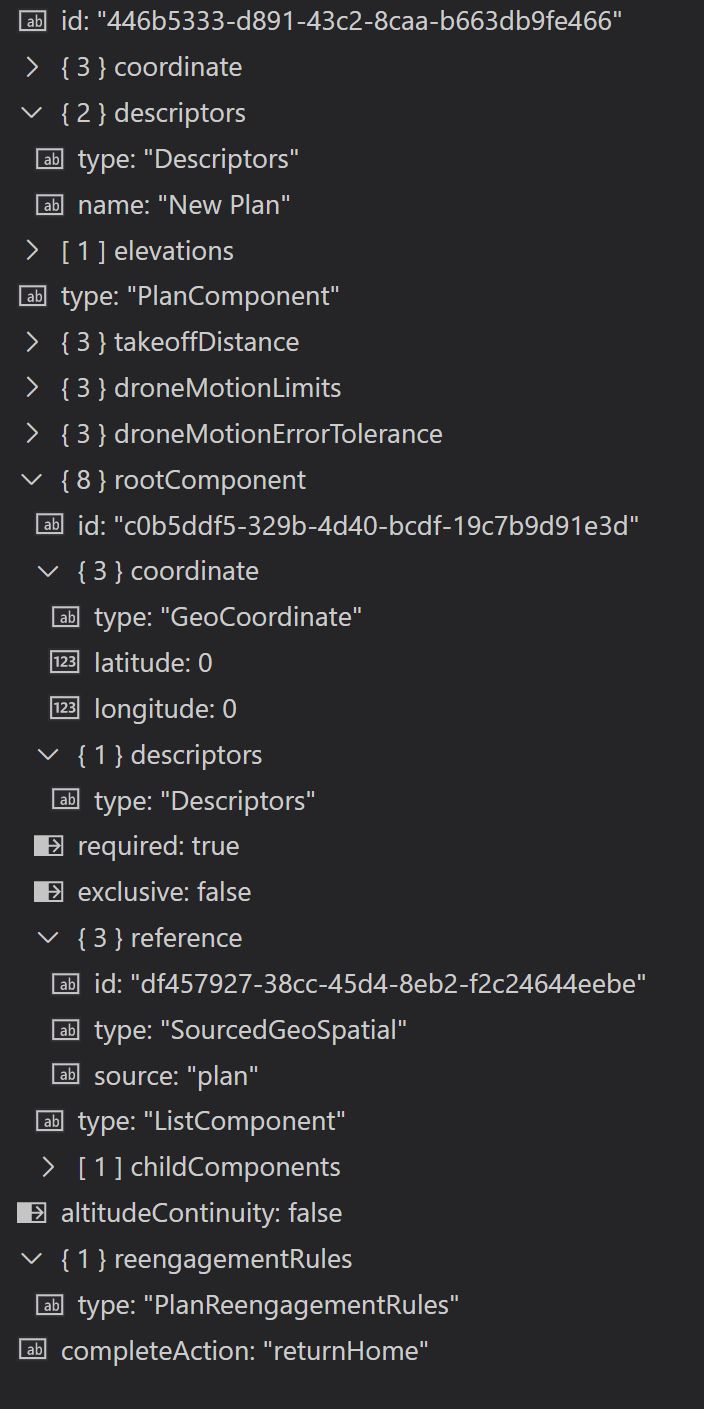
Is there deeper documentation for Functions please as that looks like it could be more straight forward, but right now the JSON import approach looks more achievable as I cant find any detailed 'function' documentation?
There is no documentation, other than the typings, and our open source functions that serve as examples. Whether you are creating your own json, or using a function, both approaches are effectively just doing the same thing: procedurally creating a mission plan (json format).
Please sign in to leave a comment.