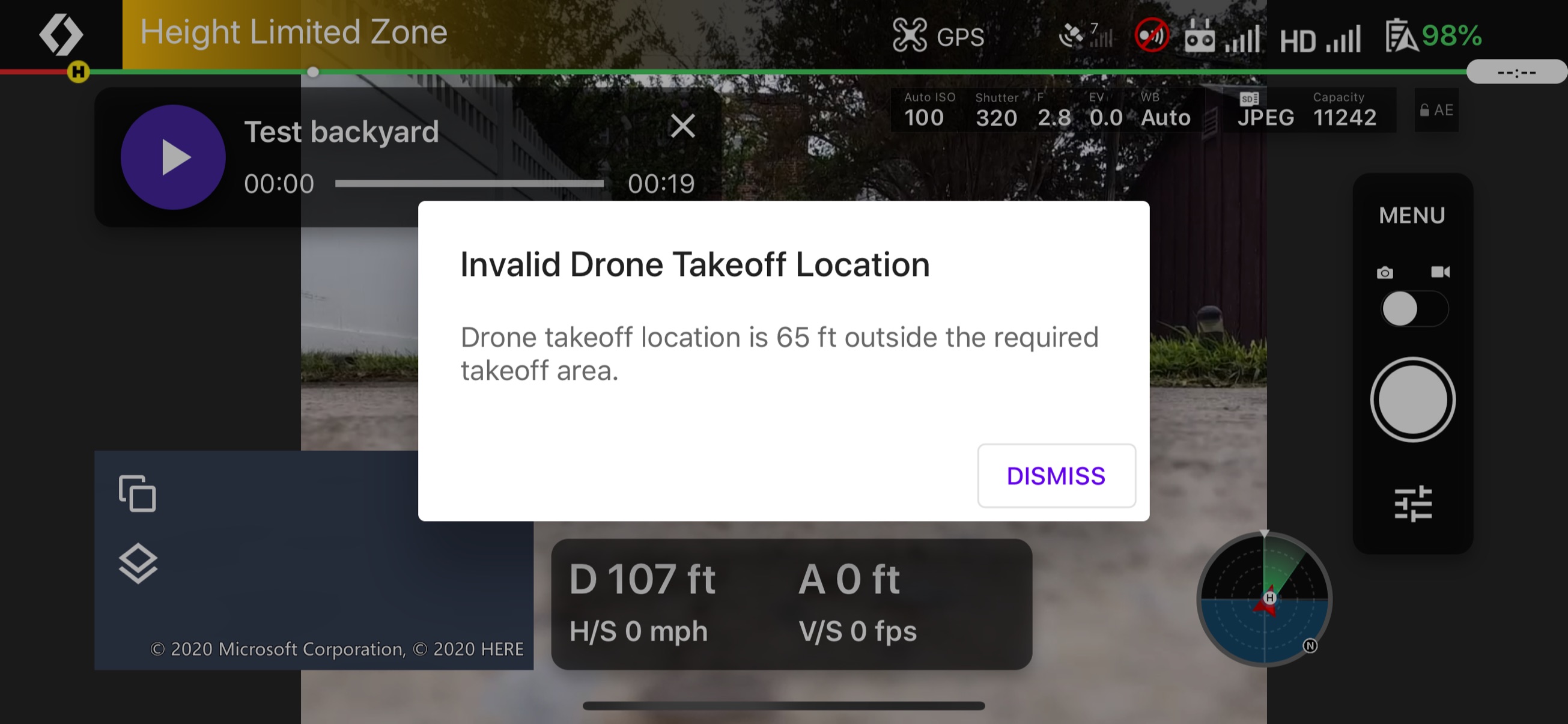
Invalid drone takeoff location

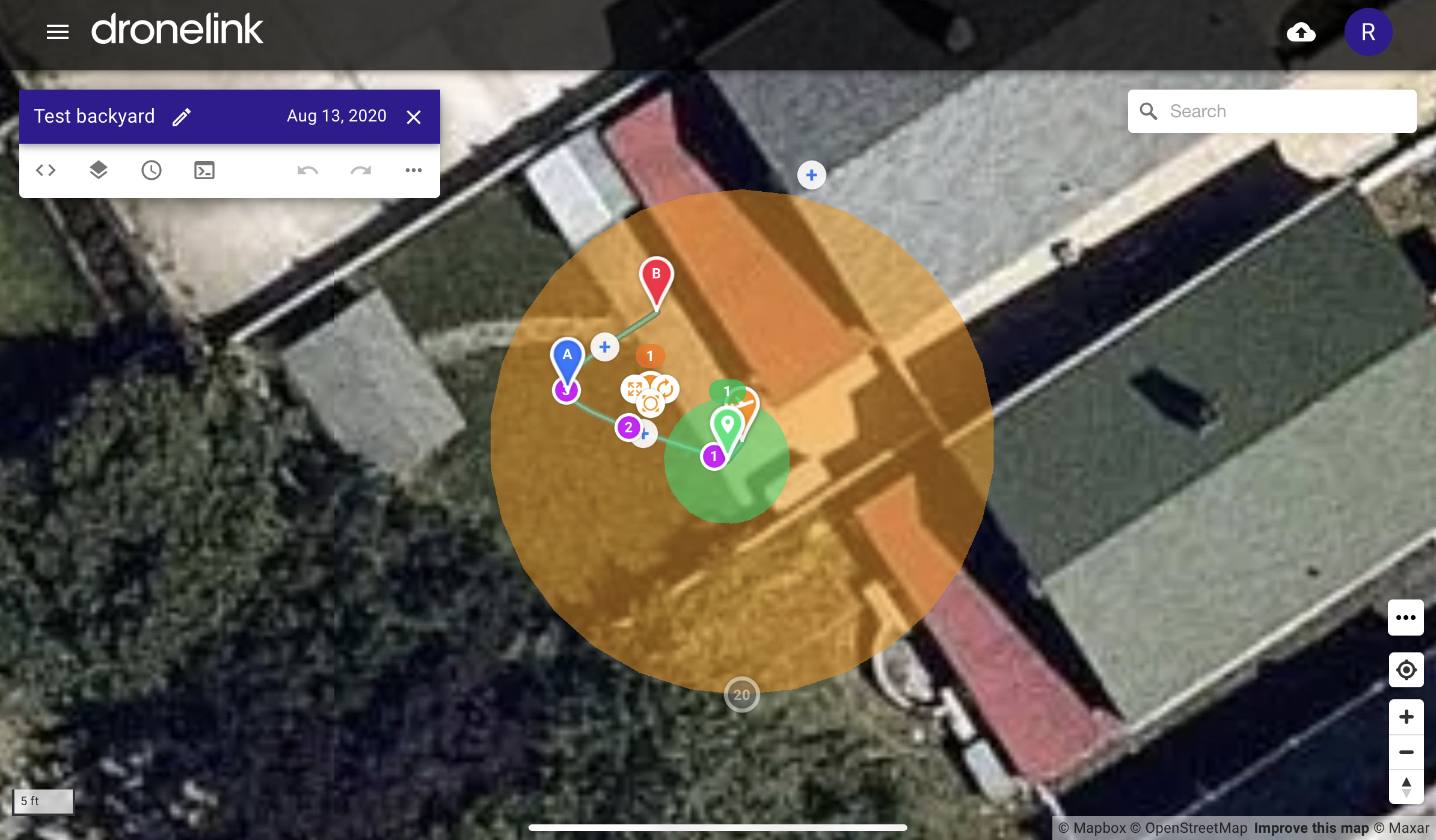
I set up a small test plan mission for learning purposes right in my backyard... I placed the drone down on the ground very close to where it should be according to the plan....
when I hit start mission, it’s telling me that I’m in an 'invalid drone takeoff location' that I’m 65 feet away but I’m right on the point where I should be.... what could be happening? I’m afraid if I set the mission to non-specific location and then I start mission, that it’s going to slam into the side of my backyard fence...
re:
app.dronelink.com/reuben-marcus/home/plan/x1mKiP44VxHZrcbd4jom/kS8JnUOOaLw5ucDGhXoN
Comments
16 comments
It looks like you don't have a great GPS lock yet and it thinks the drone is somewhere else.
Thank you!
I have now the same problem. App says all the time this error msg ( takeoff location is 14m outside) and it doesn't change even if I fly 100m away and try to start the plan from there. Always 14m...
The gps lock should be good (12 satellites). Takeoff restriction setting is 'None'. Any suggestions?
It's not about where your drone is currently flying when you tap play, it's about where your drone took off from. Having said that, if you have a mission plan that does not require a specific takeoff location, you should not see that message. Can you post a link to the mission plan?
Thanks Jim. Here you are:
https://app.dronelink.com/tero-h/omat-lennot/plan/5Mek24aAQjgiNAHHDDg6/y33wVkb1F85ZrB1EDGq
The only thing I can think of is you changed the plan to not have a restricted takeoff, but the native device was offline and did not receive the update. Are you able to reproduce?
Now it is too windy for a new test. Your conclusion was something that came also in my mind when I went through different options. Need to test this later.
Thanks Jim for your valuable and fast support to growing DL user community.
I tried this again and unfortunately the situation is still the same :-(
I loaded the plan many times and the time stamp shows it is the latest plan (no restriction for the takeoff). Is there anything left to try?
I'm guessing that you might be loading a mission that you've already loaded.....
You need to abort the mission that is loaded.. Then re-load the mission itself.
click on the dots on the native app, abort mission, then load the mission again.
I thnk that will fix things.
Does the map in the native app show the yellow area indicating the restricted takeoff zone? Need more screen recordings / screenshots.
@Eric: Aborted and reloaded
@ Jim: Would this screen record help you? Iw was getting dark here, but tried shortly. This time the native app showed msg "Location Unavailable" and couldn't start the plan.
https://youtu.be/WJqCzBJNy7w
Yes, it definitely looks like you have the right version of the mission loaded (no restricted takeoff), but now you are getting a different error about your drone not having GPS.
But the DJI FLY app spotted 12 satellites, like DL also, as can be seen on the video.
Also all my location based serviced work fine.
It seems this bird just doesn't want to fly here with DL plans :-(
For some reason the DJI SDK is not reporting the location of the drone (based on that error message).
I was now able to fly the plans :-) I don't know if you have changed anything in the app or the system, but my finding was that if I reboot my mobile before the flight, then the plan will be executed and the flight starts. I can live with this little annoyance.
I also have had many times problems logging in in the planning SW (runs on my Windows PC, Chrome). I noticed that if I clear the browsing history, including cookies etc, then the log in works every time. Again, a little annoyance, but now when I know this, no problem.
Nothing changed.
Please sign in to leave a comment.