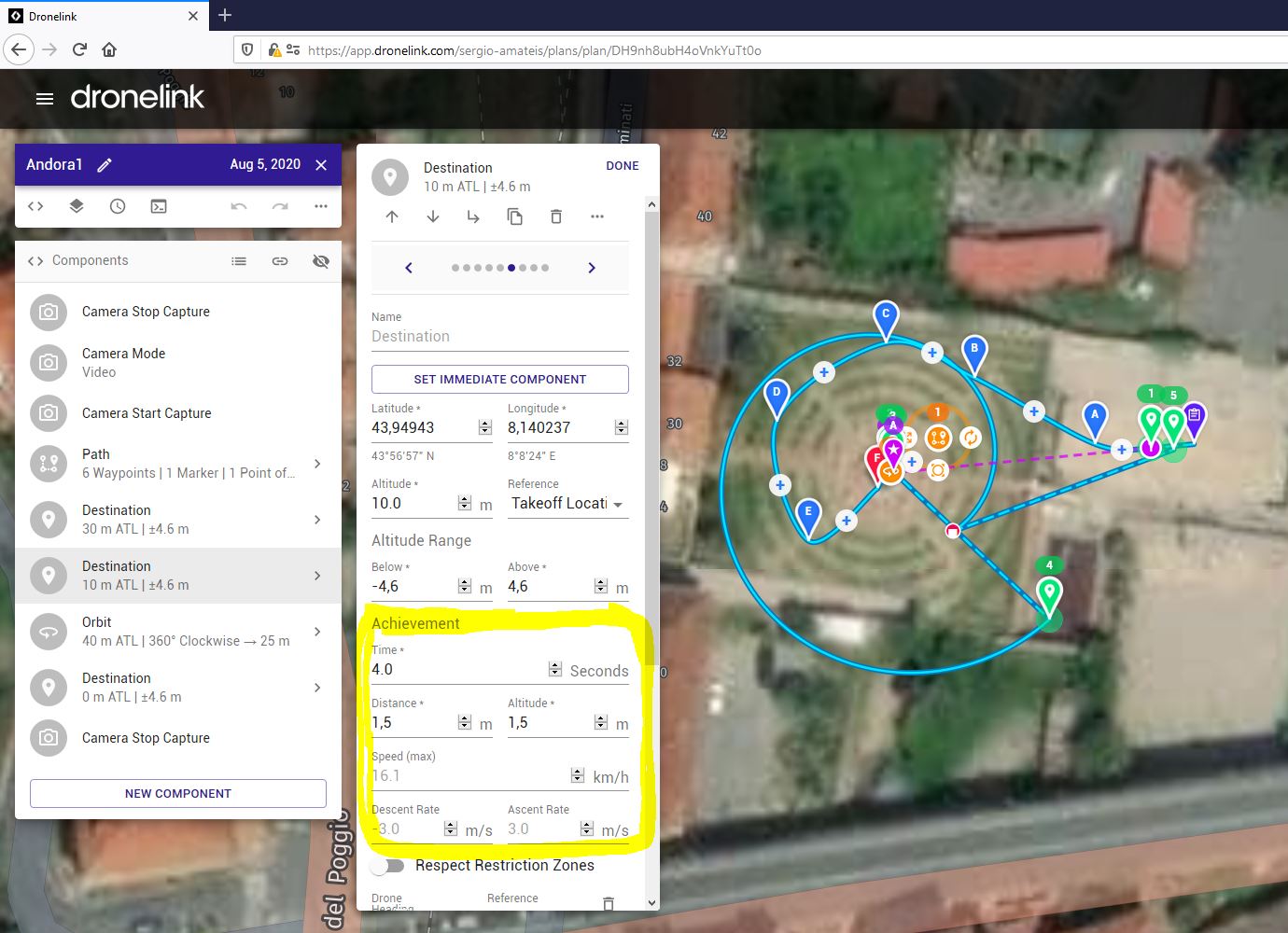
I can not understand Achievement parameters

Maybe there is an explanation in some 101 video, but I can't find it.
The question is, which is the meaning of these parameters, and why some of them are always greyed out ?
Thank you !!
Sergio
Maybe there is an explanation in some 101 video, but I can't find it.
The question is, which is the meaning of these parameters, and why some of them are always greyed out ?
Thank you !!
Sergio
<%= block.description %>
<% } %>
Comments
4 comments
If you hover over Achievement it gives help text. In short, the flight controller considers the drone to be at the destination if it is within 1.5 m horizontally and vertically for at-least 4 seconds (given your current settings). The speed and ascent / descent rates are gray because they are showing values inherited from the settings at the plan level. You can override them for this specific component by typing into those boxes.
Like Sergio, I was also wondering these settings when I saw these. Most of the stuff in the app interface is clear, but e.g. these were something that I couldn't understand quickly.
Sure, there is this short hover type of help for some of the options, but I would suggest you open up ALL the existing GUI elements a bit deeper, preferably with some examples. You could make an additional excellent 101 video to explain all these :-)
Tero - thanks for your comment about both DL and the 101 videos.
Did Jim's answer above answer the question? I"m not against putting together more videos - but I know people can be on "information overload" when it comes to the power of DL.
I personally have never had a need to tinker with those features/settings in any flight I've done. We just like to give people a great deal of flexibility in terms of how you can fly.
Hi Eric,
I am very new to drones, still taking my baby steps. I have had my first drone now for a month or so, so basically everything here is new for me, starting with the drone related terminology (English is not my native language) and the whole ecosystem around it. Therefore I have watched almost all the 101 videos (great stuff from you Eric!) to get a good understanding and how to get the most out of my Mini and not destroying it.
All those videos have been very helpful, but still I occasionally bump into situations where I am stuck and don't get something. Those moments I wish I had a good manual where things had been explained thoroughly. I think many of us newbies share this same feeling.
I think you guys have done an excellent work with your ecosystem. Lots of features which I have found very innovative. I yet don't know how quickly you are able response and fix the bugs (that inevitably are in every SW) which are reported to you, but hopefully you have capacity (human resources) to make your ecosystem very robust and adding new fancy features would be prio 2 :-)
And yes, Jim answered my question.
Please sign in to leave a comment.