Hit a tree, but what happened next is not clear

On a programmed mission, my poor little Mini hit some thin branches and leaves of a tall tree (totally my fault!) when fyling in about 15m above the ground, fell down about 1 meter but the motors kept running and it surprisingly continued flying (no visible damages occured, I checked afterwards).
Mini had at the time of this crash still about couple of meters to fhe final destination, but after this hit happened something strange. Mini took a full power (at least it looked like that) and rushed about 100 meters away. In my planned flight the speed was only 16km/h, so the difference was remarkable. It was like a horse in a panic run. I kept pushing the RTH button and I don't know if that helped, but the drone calmed down and started the RTH program and the situation was saved. Super lucky that the drone didn't hit anything while this escape.
I have couple of questions here.
1] What could explain this runaway behaviour?
2] Is there any SW that I could use to analyze what happened after this tree hit? I read in the internet that the "fc_log.log" file should include all the needed data, but because this file seems to be huge (over 500M long) and it doesn't open asd such that it is readable without some additional (free) application, any help would be appreciated here.
3] How is the RTH location set in the DroneLink? Is it always the geographical point from where the drone took off, meaning the previous location ( e.g. defined by DJI FLY) is always overwritten?
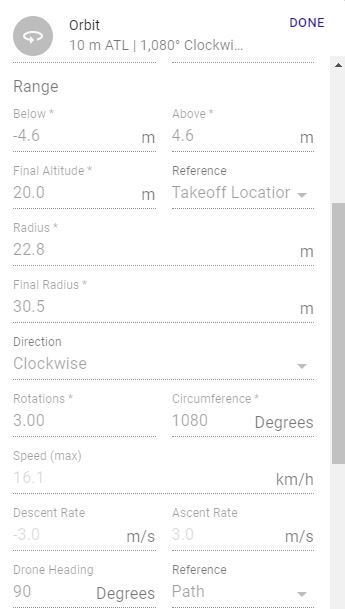
4] My modified Orbit maneuver looked quite jerky on the video.With DJI Fly and C mode this has always been very smooth. Is here in the parameters smtg that would cause that? I have a new Samsung Galaxy S10, so it should be powerfull enough for this task, or?
Comments
1 comment
Please sign in to leave a comment.