Component in Repository

It took me a while to figure out why I would add a component to a repository instead of just adding the component to the mission plan. Reading the tutorial gave me an idea. I might want to fly around a triangle shaped building to get enough photos for a 3D model. The Flatiron building in New York is 285 ft. tall. It would help to be able to take photos at various heights. I created a component to fly the perimeter of the building.
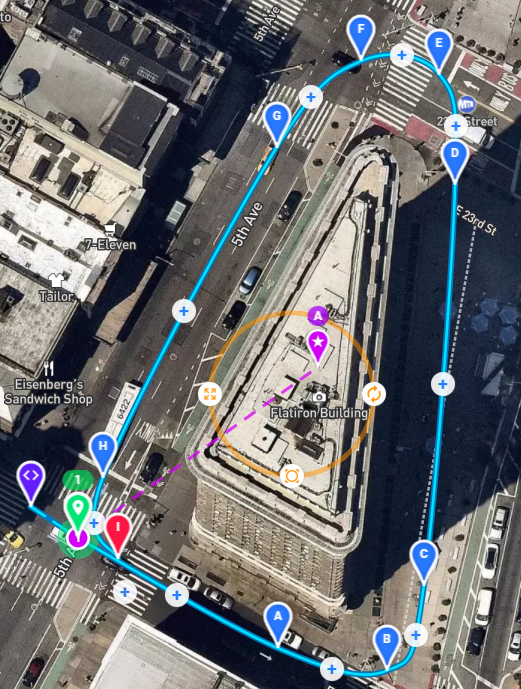
When creating the plan, I was able to use the same component at different heights. The steps were to add the component to the plan and adjust the height. I was also able to easily expand the perimeter slightly as the height increased.
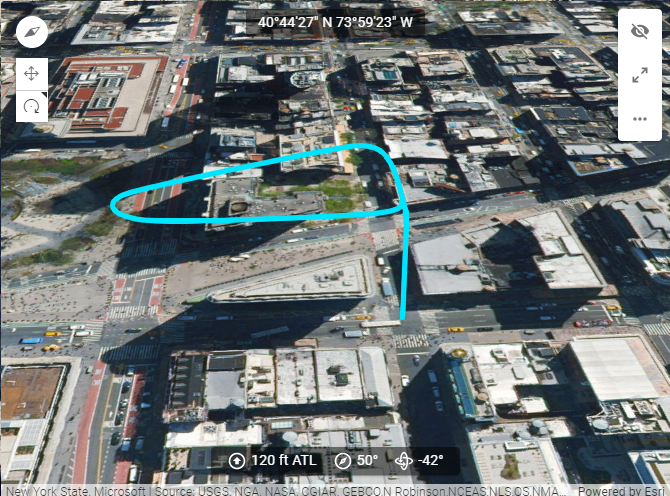
One trip around the building at a consistent height looks like this.
And with just a few mouse clicks, it was easy to add additional heights.
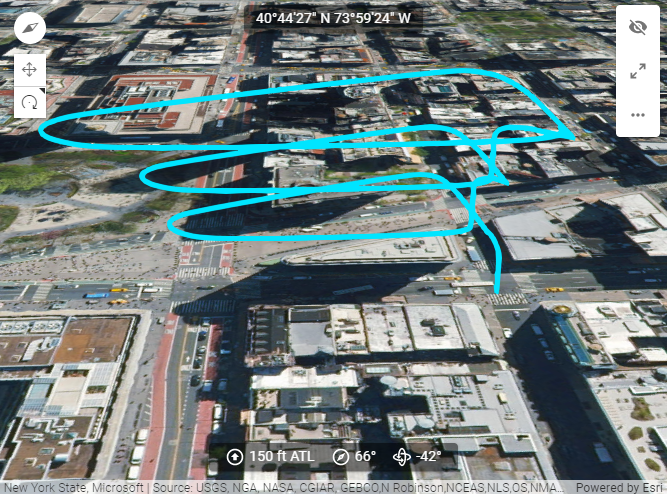
For anyone who wants to experience what Dronelink does after the component in a repository is updated, this is a good way to experiment. You see how you get the option to not use the updates if you don't want to change your plan.
The full height of the Flatiron building does not show up in the mission preview. By rotating the preview, I can verify that the path does not get close to the building.
Comments
3 comments
Love it.
And thank you. You just taught me something about this software.
Indeed a smart move
Great stuff!
Please sign in to leave a comment.