Preparing to execute...

I tried one flight today, but the mission did not start. It was stuck on "Preparing to execute" At least not within reasonable time (4min). The drone hovered in the air while waiting. I was in full control of the drone with the sticks while waiting.
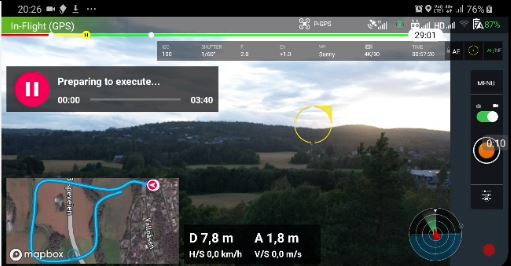
Four minutes later.. still no joy. Pause button did not react at this point.
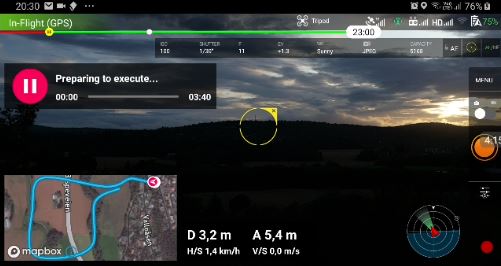
Known issue or not?
There was some delay/waiting for the drone to take off on a previous flight as well, but just some seconds.
link to mission:
https://app.dronelink.com/haklis/first-tests/plan/XJZZ5J8HNbFgnwcim0ZN/p936snFprTTHddpuZKQz
Hakon
Comments
7 comments
I launch my mission while the drone is landed, motors off.
My first mission, I noticed about 30 or 40 seconds after selecting launch before it actually took off and tried the plan. Second time, with a slightly simpler mission, it launched probably in half the time.
I'm heading out right now to run some more tests. I will launch from the ground. I'll report what happens.
Normally I launch from ground when the area around is open, but here I fly out from my terrace and like to hand fly it out a few meters.
I figured it out. I suspected the camera commands could have something to do with the hang and certainly it was confirmed when looking at the ongoing flights on the web app. Error message right there! Did not know that
Since the list of available camera commands are not limited to what your craft has; selecting one that isn't is a sure way to have a failed mission.
You can either uncheck "Required" and then the mission will go on without that command being executed; or do not set any and just configure the camera for the particular mission before starting.
I tend to the second option for now.
I did uncheck the "required" checkbox on the failing command. Next flight the drone launched , but stopped early with a message telling me that another command was not supported. Then I removed required on all camera commands and flew again. The mission completed.
This is okay for Beta and I can find out which camera commands are not supported by trial and error, but for a normal user this is to cumbersome.
At least on the second error I got a message on screen. Not just a hang.
I tried to include camera commands as this is unique to dronelink and should be tested.
Hakon
Once you figure them out for your craft you can save command sequences into named lists and plug them into future missions.
Indeed, I have already made lists for this and put the list into the immediate part of the approach.
Please sign in to leave a comment.