Holes in a Mapping mission? DJI Onboard waypoints not working

Hi there,
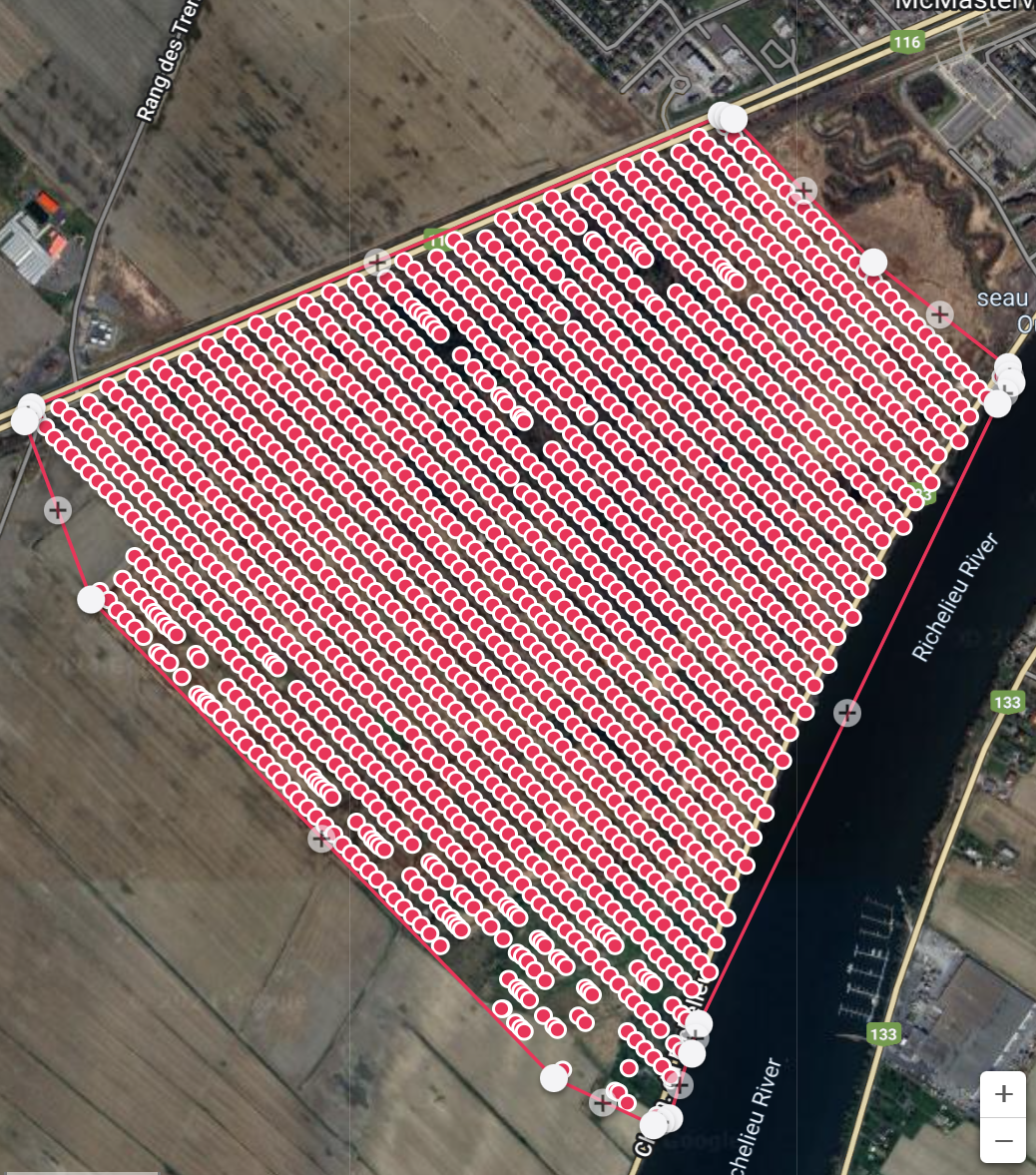
Been using UgCS for years and had to cancel subscription in march. Decided to try out Dronelink and really enjoyed all the features and the 'cloud' missions, the fact you don't need a Laptop and many more things. Two weeks ago went and did this mission and as I uploaded it, noticed there was 'holes' or photos not taken at the bottom of my map (see picture attached). From my experience, this happens when either the drone is over loaded or in this case I suspect the 'virtual sticks' function of the app had a hard time sending the signal for a photo to the drone in distant areas. I originally planned to run this mission with the DJI Onboard function, but when I tried it, it's as if the drone knows where to go (waypoints) but the actions don't follow (take photos). So I went with the old fashion way (virtual stick). What am I doing wrong? I'm using a Mavic 2 Zoom and would love to continue using this program, just want to know what best practices to use to avoid these holes... I also have a professional starter plan, so it should work.
Comments
3 comments
It would help if you shared the mission. However, this usually happens if the drone is on the edge of range or there is a lot of signal interference.
If the mapping mode is set to distance then the camera is triggered each time it reaches the point. However, if there is a delay or interference with the signal getting there then the trigger is missed or delayed. You can see that has happened with the red dots being missing or clumped together.
Onboard waypoints will not solve this - the drone will continue to fly the route as the waypoints are uploaded, but the camera is still triggered individually.
Fortunately, there is a solution. If you change the capture priority to time then it will set the camera to automatically trigger at a set time interval. That only requires the first trigger to work and then the drone will continue to capture even if it is out of range. You may find that you have extra images, but you should never have missed images in that mode.
Hey just wanted to give an update on this thread.
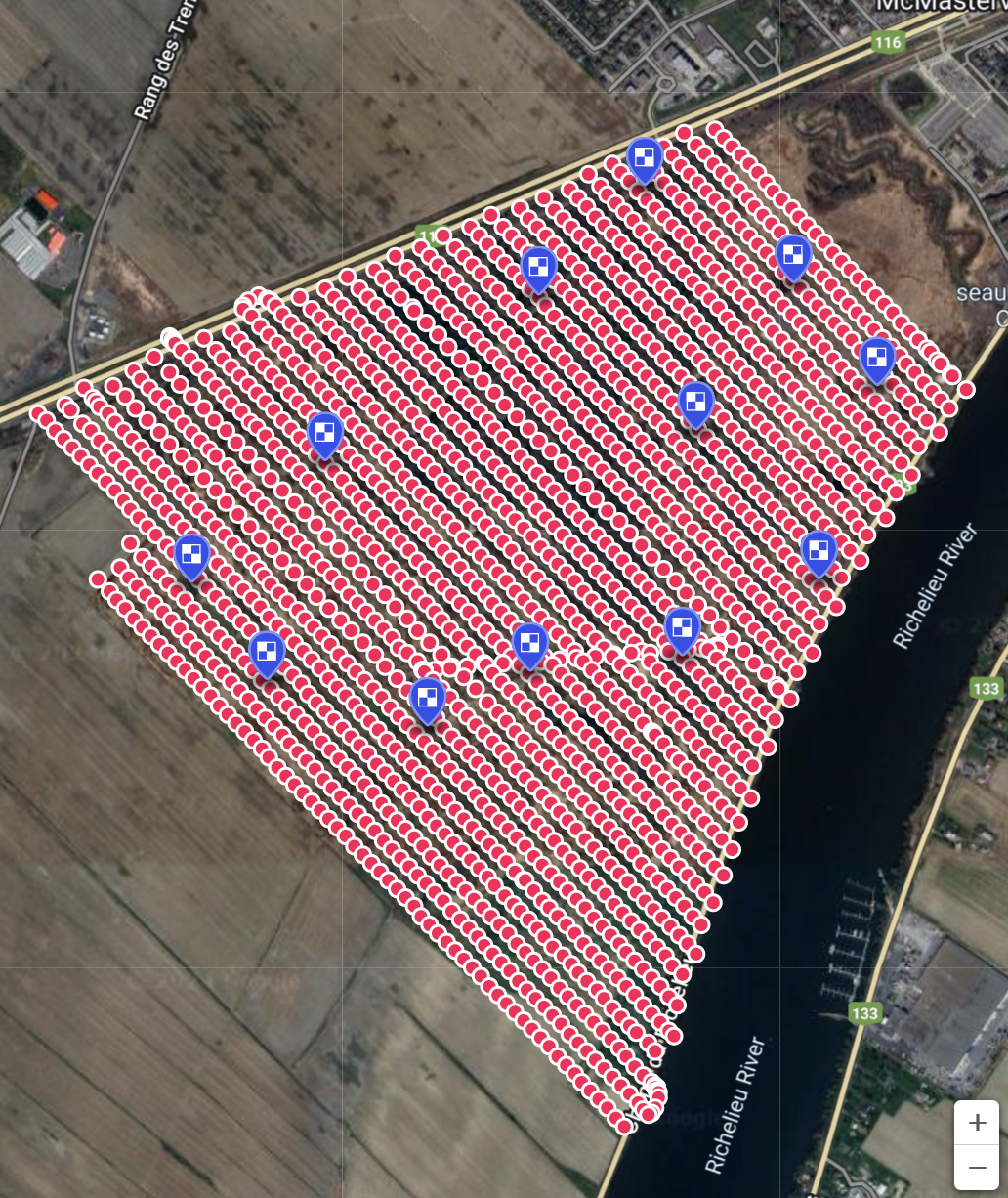
Thank you Sir! Tried the time interval method and it worked like a charm! Had to manually set the interval at 3 seconds though to get roughly the same amount of pictures as the distance method but as i'm uploading right now the pictures I can see there are no holes!
On a side note. Just to confirm, Onboad waypoints does not upload the whole mission to the drone before taking off but actually sends one way point at a time to the drone in real time? I thought this method could be used if you had momentary RC losses the drone would still continue it's mission and keep going throught the WPs...
Hi. Good to hear things worked out.
I can confirm that when you upload waypoints it uploads all of them - or more specifically, it uploads each map (or path...whatever). So if you lose connection it will continue.
You can see a video on how all this works here: https://youtu.be/4F-W4HKJlmA?si=NFrQ_NHBKrGHJcnS
Please sign in to leave a comment.