Issue with Mission Preview Additional Details in Chrome

I've been encountering a peculiar issue when using a web application on Chrome (Version 120.0.6099.129, Official Build, arm64). In the mission preview, I'm unable to see Additional Details under the Timeline. But when I switch to Safari, everything appears as expected.
May be it's a bug.
Has anyone else experienced a similar problem with Chrome? If so, do you have any suggestions or solutions? I'd greatly appreciate any advice on how to resolve this issue.
Comments
8 comments
Can you show a screenshot of what you are seeing?
It appears that Chrome may be requesting the mobile site. Can you have it request the desktop site?
Jim McAndrew Thank you for your suggestion. I'm not quite sure how to make Chrome request the desktop site instead of the mobile site. Could you please guide me on how to do this? I appreciate your assistance.
… (top right) -> Request Desktop Site
It appears that the option to request the desktop site is not available in Chrome on MacBook.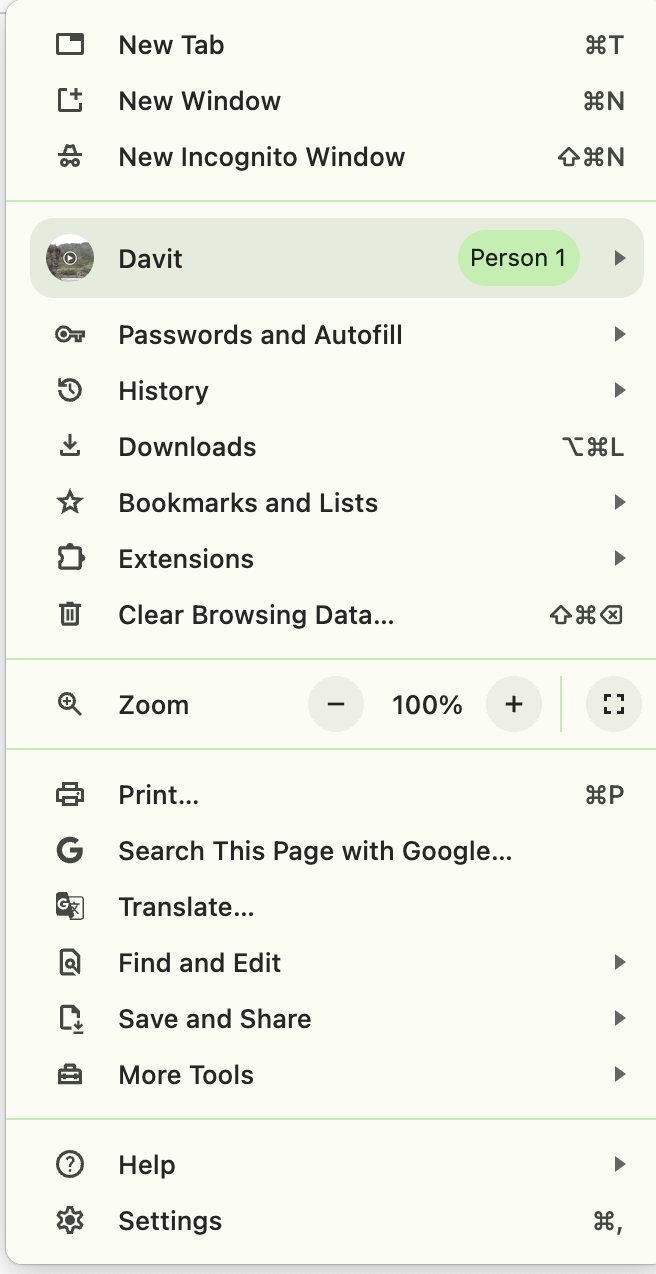
However, it's worth noting that this option does exist for mobile devices.
You need to reduce the screen. None of that info is visible when the preview screen is maximized.
Thanks a lot, Mike, that solves the problem.
Please sign in to leave a comment.