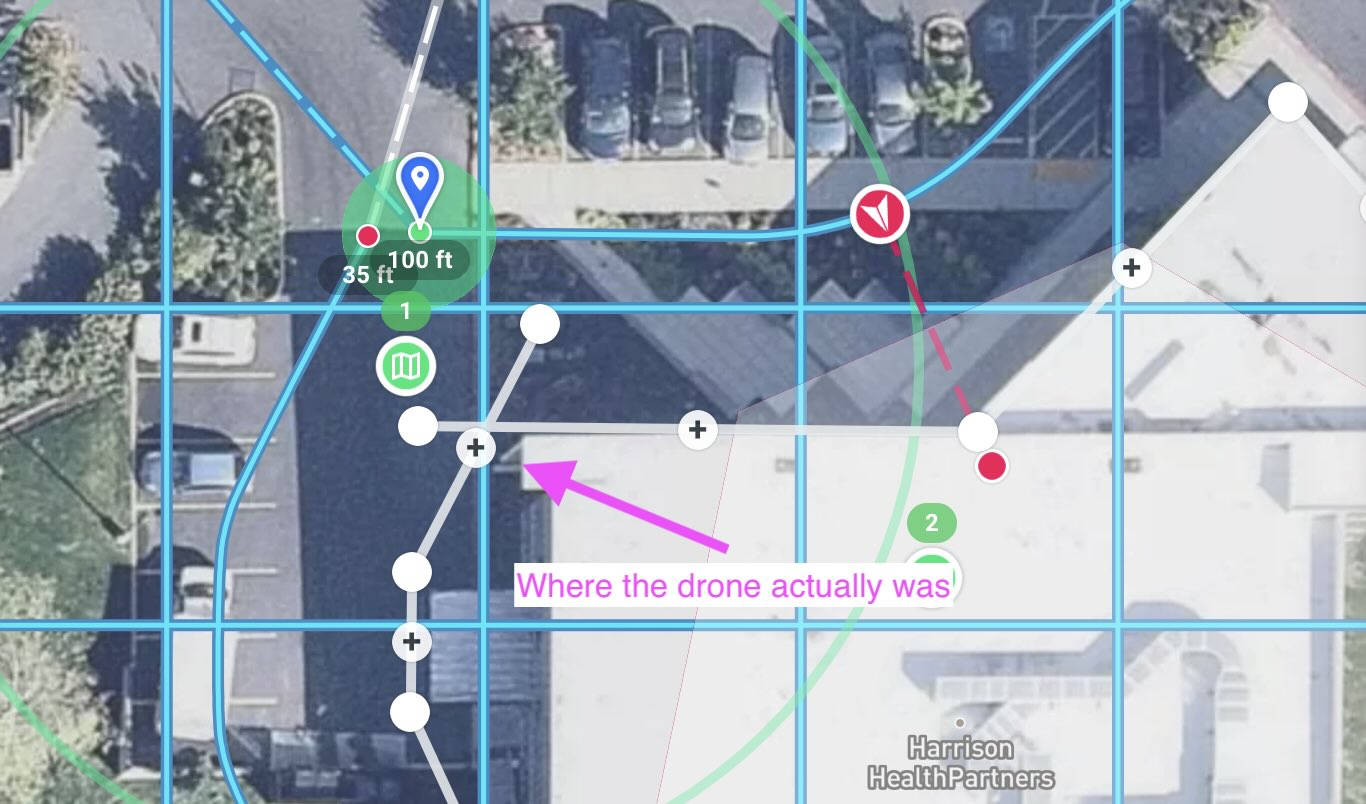
Facade flown with Air2s flew the boundary points(gray), not the flight path(blue)

I have a plan in which a horizontal oblique facade component is flown after a map component. Because it flew the facade outline of a building(boundary) instead of the offset to the target, the drone nearly hit the building whilst going sideways had I not pressed pause.
I checked the mission, which shows the last position of the drone(offset from the building), and that I paused the mission.
I have six photos captured from the facade component before I paused, taken from the wrong place.
Has anyone else encountered this? This sure seems like a bug, and more reason to fly verification.
Comments
6 comments
Did you geo-rectify to correct for sensor error in the drone's GPS and also error in the mapbox base layer? https://support.dronelink.com/hc/en-us/articles/4416141457171-How-to-Enable-Drone-Offsets-Mission-Alignment-Georectification-
Jim,
Yes. I geo-rectified before flying the map component, and then pressed pause as it was approaching the facade, and geo-rectified again, both over the real-world place where the purple marker indicates.
Is there something recognizable on the ground there?
Yes, a sign that has been there a while.
Crap, when I see Apple Maps plot the GPS point of the attached JPEG(one from the map mission), I see it is off from the DL map.
I also see that the purple marker is not where I thought I placed it, so all bets are off.
Thanks for your time...
Sorry. I screwed up.
I had two plans covering the same area, one for Mini3Pro and one for Air2s. They had to be separate because the angle of view affects the start/stop points for the set overlap. I set the geo-rectify point for the copied one(M3P), but didn't get back to edit the original(Air2s), which I ran.
When running the mission, the map defaults to tiny rectangle, so I didn't notice that the purple marker was off.
Please sign in to leave a comment.