Gibal mode failed - Matrice 600 pro

Hello,
We have integrated two cameras (Phase one and Micasense) on a DJI Matrice 600 Pro. We have planned an acquisition mission with Dronlink (version 4.8.1 (273), Kernel 4.8.0), the drone reaches the starting point adequately but an error message is received ("Gimbal Mode Failed") when the drone tries to start the acquisition, yet there is no gimbal on the drone. We have completed planned missions with DJI Pilot without any problems. I'm attaching a photo of the message received and here's the mission link: https://app.dronelink.com/photogrammetrie/cgq/plan/7pmyj0746ZTNDeQ6S2cF/ZSICKMwVDxtRRm58v7c5 Does anyone have an idea how to solve this problem?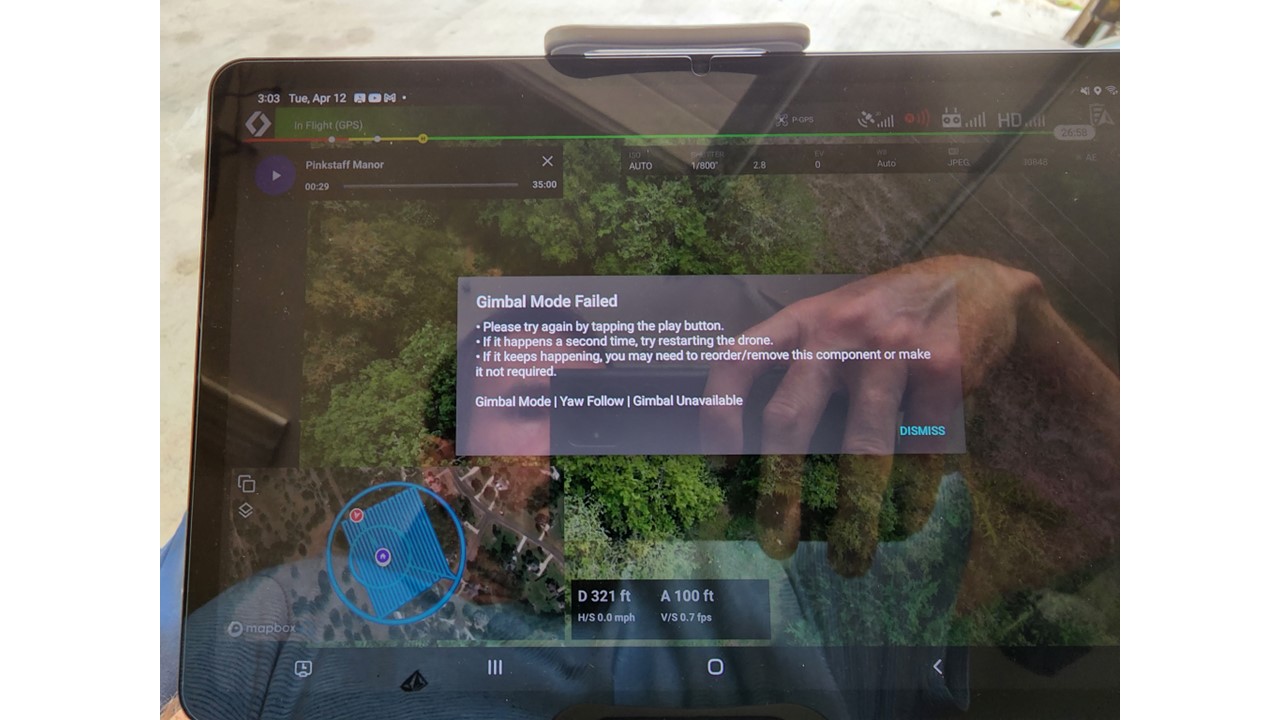
Comments
3 comments
DL staff will have the answer but until then the only thing I can think of is deleting the gimbal channel at the map start. I don’t have that drone so it’s just a guess based on my experience using the app and how functions works. I’m not sure if the gimbal pitch which is in the map component will effect it further or not but can’t hurt to try removing the channel.
The M600 is not officially supported, and one of the reasons is we know it doesn’t work with custom payloads.
Thank you for this clear and precise answer, it's what we suspected but were looking for confirmation.
Please sign in to leave a comment.