Beta App elite version - focus mode missing "your location" option

Dear all,
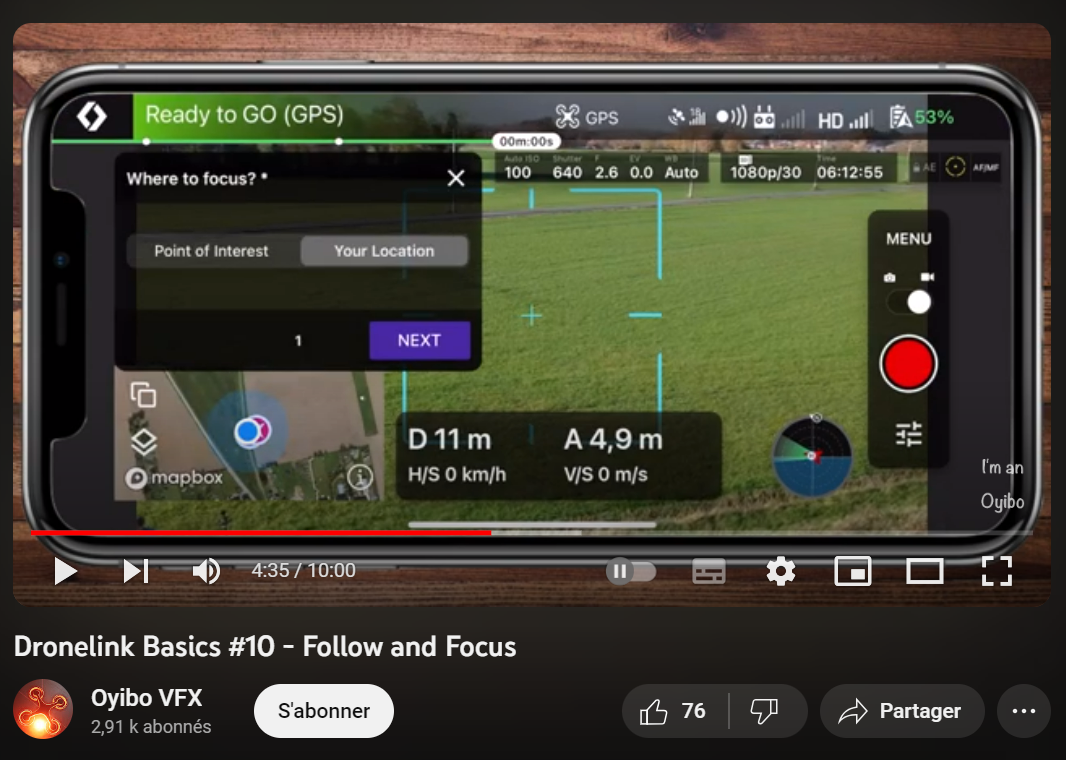
I have successfully upgraded my Dronelink beta version to the Elite version I use with my Mini 3. Unfortunately, when using the focus mode, I can only choose the "point of interest" option and not the "your location" mode, as the YouTube video below indicates (time code: 4:35)
I have successfully upgraded my Dronelink beta version to the Elite version I use with my Mini 3. Unfortunately, when using the focus mode, I can only choose the "point of interest" option and not the "your location" mode, as the YouTube video below indicates (time code: 4:35)
https://www.youtube.com/watch?v=4zyhjP9umw8
Is this a feature that is missing on the beta version anyway or should I be able to use this option on the beta as well?
Is this a feature that is missing on the beta version anyway or should I be able to use this option on the beta as well?
Thanks for your help!
Loïc
Comments
9 comments
Attention, ces tutos datent un peu, l´IHM a bien changé depuis.
Normalement ce mode est toujours accessible avec le plan Elite.
Je suis étonné qu'il n´apparaisse pas. C'est une des On-the-fly fonctions.
What device are you using?
Hello,
Thanks for your replies. My device is the following/has the following specs:
Thanks again,
Loïc
Looks like there was a bug preventing this. Does it work now?
Hello,
Thanks for your reply, and my apologies for the delay in answering you. It works perfectly now, that's great!
Loïc
No problem - we would be grateful if you left a 5-star review in the App Store! Android | iOS
Sure, it was just done.
If the community is interested, here is what I was able to shoot with my mini 3 and the "follow" and "focus" modes of the beta app.
https://www.youtube.com/watch?v=-jTzjzhAcR8
Cheers!
Il y a un espace pour y déposer les tutos. N´hesite pas si tu veux en faire quelques-uns 🙂 :
https://support.dronelink.com/hc/en-us/community/topics/19464126130835-Community-Tutorials
Merci beaucoup, je fais ça!
Please sign in to leave a comment.