can you explain the reason for >> Automatic control interrupted "near boundary" <<

I could not figure it out with the pilot, but take it is maybe a DJI no-fly or max distance setting?
Can you confirm or hint me the right way?
Thanks!
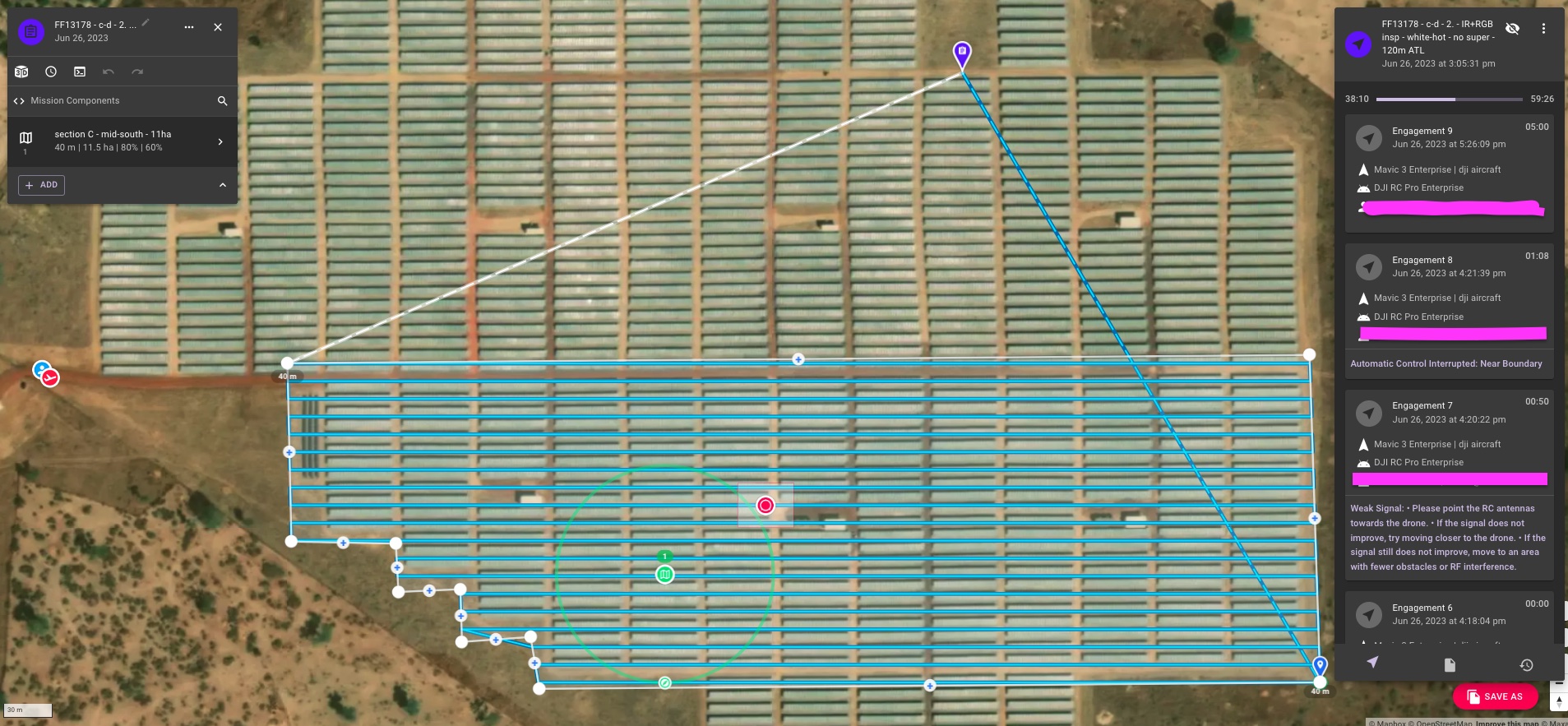
I could not figure it out with the pilot, but take it is maybe a DJI no-fly or max distance setting?
Can you confirm or hint me the right way?
Thanks!
<%= block.description %>
<% } %>
Comments
8 comments
It means it is near a no fly zone and DJI automatically disables virtual stick control.
Hello, I'm also experiencing this issue but I've checked DJI's fly zones and our local fly zones and still getting this error when there are zero restrictions showing up. Any ideas on why that might be? Thanks!
Are you flying the drone near the maximum distance setting?
No, I'm only around 100m away. It comes to a certain point along my flight plan and just stops, I try to stay close to the drone to avoid not being able to see it. It almost seems to be random when the 'near boundary' message interrupts the flight.
Not sure then. This is just a message that is coming from the DJI SDK, and it is usually when 1 of these 2 issues arises.
Does it happen in other locations?
It happened once before, yes. We've only flown with dronelink in 2 other areas though so I don't have that much to compare too.
Hi Cadrain. A suggestion for you. If it happens again then close the DL app and open the DJI App and fly the drone into that same exact area and even farther into it just to see what happens. If it hits a wall then you have the answer which is a DJI geofenced area. Also I’d double check the DJI App to make sure the max distance and even the max altitude as well is set correctly. If the max altitude is not set higher then the plans set altitude the mission cannot continue as well and may possibly give the error. DL does not restrict any flights in any area. All of that is controlled by the drones firmware.
Please sign in to leave a comment.