New Native App Release

I Noticed a couple days ago with the beta version 2.3.0 build (150) of the flight app it was l doing this. Just downloaded the Newley released same version of the Native App in the App Store today and same issue. Using my iPad Mini 5. Happens when I Create or change any plan setting using the Native app. I usually only use the Web to change or create missions so no biggie but, I’m sure you would want to know about this issues.
Additional thought. The tabs moved to the bottom are ok however, My opinion is they are more easily used at the top. The Joysticks get in the way with them just like what DJI did with the Fly app and camera commands. Harder to use them at bottom due to the sticks being a bit in the way. Curious to see what others think about the new position. Not a big issue, just an opinion.
Edited: I forgot to mention it does the same thing with my iPhone 8 Plus.
Thanks Jim.
Good day, Mike…….
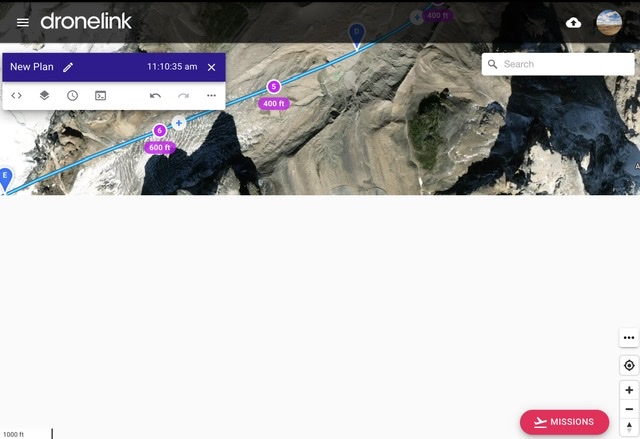
About 60% of the bottom area is blanked out white .
Comments
2 comments
Seems like some sort of strange embedded safari issue. If you rotate the screen and then go back to landscape it seems to wake up.
Ok. I tried that and it works. That’s why you are the expert, not me. Simple fix. I’m guessing you are utilizing Safari for a reason and not Chrome or Firefox. Not sure what the difference would be but as long as it works then I don’t care. I really like that you are continually adding new Functions/Features for us. Keep it up.
Thanks Jim. 😁
Please sign in to leave a comment.