Maximum Altitude Reached

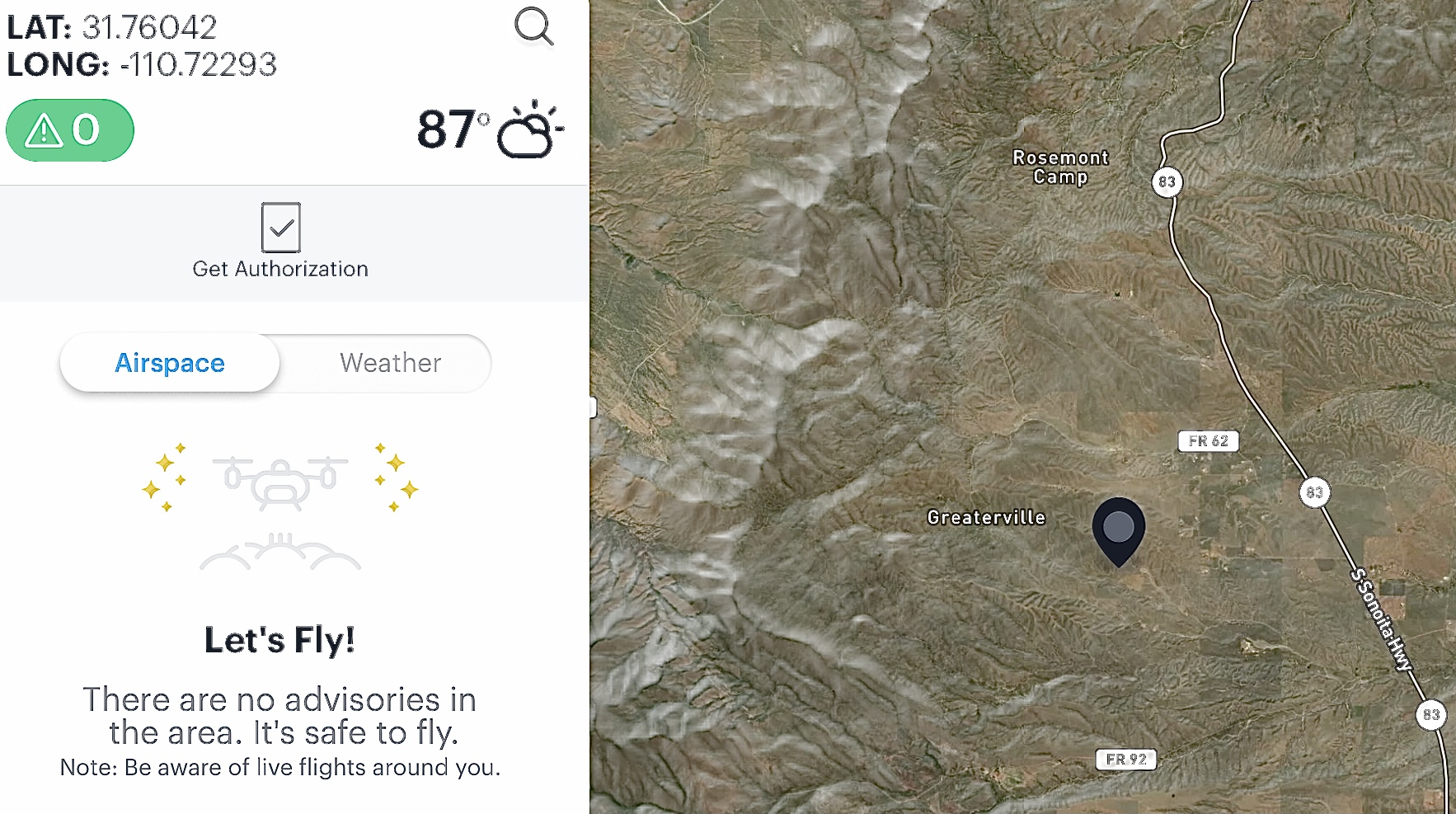
Using my drone while Riding my motorcycle and following the path in very rural Forest area. Need some help with why the mission stopped and said maximum altitude reached. I dismissed the warning but it just hovered in that position and would not continue. All I could do was click the start button again to try to resume but it began RTH and headed back to the take-off point. I had to pause and cancel the mission because I didn’t want to ride back over 2 miles to try again. I’m flying a mission in a very Rural Forest area with no NFZ’s, TFR’s etc. The plan goes slowly up in elevation over about a 3 mile stretch of a Forest Rd. It’s about a 500 foot elevation change from my starting point however, I’m only 75 feet AGL the entire time.
I set the Max distance to No Limit and Max altitude all the way up in the DJI Fly app to 1640 feet before I started the mission. As I understand the settings in the DJI Fly app carry over to the DL Native app. If so, should it have worked with the Fly app settings correctly set or does the Native app have an altitude limit. There was no issue with 13,000 feet distance so I’m not sure why this happened with the Altitude. Is there something I can do to utilize running a mission above 400 feet ATL but actually only about 75 feet AGL. Obviously the Native app does not have any Distance, Altitude or RTH settings within it.
I’ve read others have flown up the side of hills or mountains and still maintain legal AGL even though the ATL was indicating obviously much higher. Am I missing something ? Not sure if there is a way to get an unlock to go higher or of it’s able to go up to 1640 feet with any prior approval or unlocking.
Airdata indicate about 388 feet when it stopped. Kittyhawk has no restrictions.

Thanks for any help. Mike………
Comments
11 comments
It should work. Did you open DJI fly up and confirm that the max altitude setting had stuck? Where you able to fly any higher in DJI fly after confirming the setting?
You might want to consider enabling dynamic home point for situations like this.
I Set it to 1640 before the mission and checked right after I landed it. I didn’t try going higher once it failed. I just cancelled the last part of mission and landed it. I may have one way to test over 400 feet ATL but still no more then 400 feet AGL. Bad weather here next few days so I’ll try later to just to confirm it is capable. I don’t see why it wouldn’t but I’ve never had a reason to go much higher the 200 feet usually and normally set to Max of about 397 feet.
I am curious if I add a Max Altitude and Max Distance component would it alleviate any issue ? I’m assuming that is just doing same as Fly App and still not guarantee it will go higher.
This isn’t a that big of a deal but seemed strange it would not allow it to go any farther due to the altitude. If needed I can just spend a bit extra time looking at my off-road map app for the actual elevations in the area I’m going to fly and separate it into a couple missions which will then calculate from zero altitude from second take-off point.
(The Dynamic Home Point isn’t available with Hobbyist Premium plan.)
Sometime Next week I plan on going on a ride again. I will Refresh the Firmware on both Drone and Controller and calibrate IMU, Compass, etc. I’ll even delete and reinstall the Fly app and DL app. Can’t hurt to go through everything.
Thanks for the assistance Jim. If after going through everything and if it’s still an issue I’ll let you know at a later time. Does seem strange though but hey, that’s life with technology. Nothing is always perfect. Still loving Dronelink. No complaints. Keep up the great work.
Good day Jim.
Mike……….
Correct
In mission plans, yes, but follow mode has it even for hobbyists.
Updated: Understood. However, that would defeat the purpose flying my automated mission. I’m just filming the path and scenery and I don’t want me in the frame with some of these.
If I do want to use the follow mode to film me in the frame won’t it still have the same issue with max altitude at some point or does it automatically update every so often ? I haven’t tried follow mode yet but probably at some point I will try it when I’m wanting to record me in the video. I’ve use the Active Track the MA2 has several times but not on long runs so I don’t know if it will have same issue.
I’ll try a mission in same area again after going through everything and see what happens. Hopefully it was something with the DJI firmware or software in the app and it will work next time. Thanks Jim. Still loving it. Appreciate the great support.
Mike…..
I just assumed you were using follow mode.
The altitude setting worked for us, but yes, follow mode isn't going to solve that problem. I was just mentioning that you can update the home point dynamically in follow mode so it doesn't return to the start point.
My mistake. I probably should have added a link to the plan. It’s a fully automated plan with path, markers, elevation changes etc. from start to finish. Anyway, this week I’m going to try again. Already went through everything. Deleted and Reinstalled both apps, did firmware, calibrations etc. I’ll see if it happens again. Went through Everything…….
Thanks Jim. Good day.
Mike……..
Any easier test might be to take off from your driveway and then see if you can fly at 405ft over your house.
Yes, I plan on testing here at home first once the winds settle down. Anyway, I’m on 5 acres and my driveway is about 50 feet above street level so I’ll try that way when I can. I’ll Try both the DJI and DL app just to see. If it works correctly then I already made a quick very simple plan to start at same spot below and fly up over my house at 450 feet.
Thanks…….
Hi Jim. I flew from my driveway at bottom of my property which is about 50 lower. Used the DJI Fly app first and it was able to go to about 450 feet. Then used the DL Native app and it was able to do the same. I then flew a simple automated mission path from same starting point and it was able to go to about 450 feet also. Not sure why it stopped last time I took it out. Maybe it had something to do with me reinstalling both apps and/or refreshing the firmware, and calibrating the IMU, Compass. I guessing it will run fine next time. One of those strange things that baffles us.
Thanks for your time.
God bless, Mike………
🤪
Just an update Jim. Flew a 3.5 mile mission in same Forest area and no issue. ATL of over 600 feet without a problem. Just like the Energizer Bunny, it kept going and going and going. Lol.
Just as a note; The newer Beta Web and Native apps are working great.
Good day.
Mike……..
Please sign in to leave a comment.