Gimbal Heading

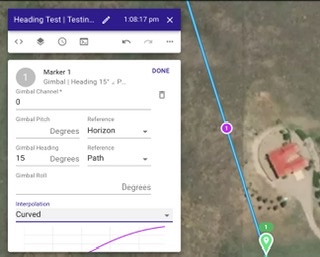
I searched and read through a few old post but they were from about 2 years ago regarding Gimbal commands. I Could not find the information I was looking for and since it was so long ago things may have changed. My question is about the Gimbals ability to yaw 10 to 15° or so to either side while the aircraft still stays straight forward on the path. I’ve been using Drone Heading to control my aircraft but, that’s make the Aircraft Yaw so it’s actually flying a bit sideways instead of straight forward. It makes the video look a bit weird crabbing sideways. I’m following a Forest Road which curves a lot over a 2 mile stretch. I added a marker for Gimbal Heading at 15° To try it However, the preview shows the camera is still pointing completely straight based on the shaded camera view. Can this be done with the Gimbal on a MA2 ? I know it pitches down or up but not sure if it’s possible to yaw the Gimbal. Not a huge issue but it would look better on the video if the aircraft stayed straight and Gimbal was just a bit to either side.
Thanks for any info.
Mike.....
Comments
2 comments
It only works on drones that support gimbal free mode (Inspire, M series, etc).
👍🏼 Figured it was sometime to do with the aircraft. Thanks Jim..
Please sign in to leave a comment.