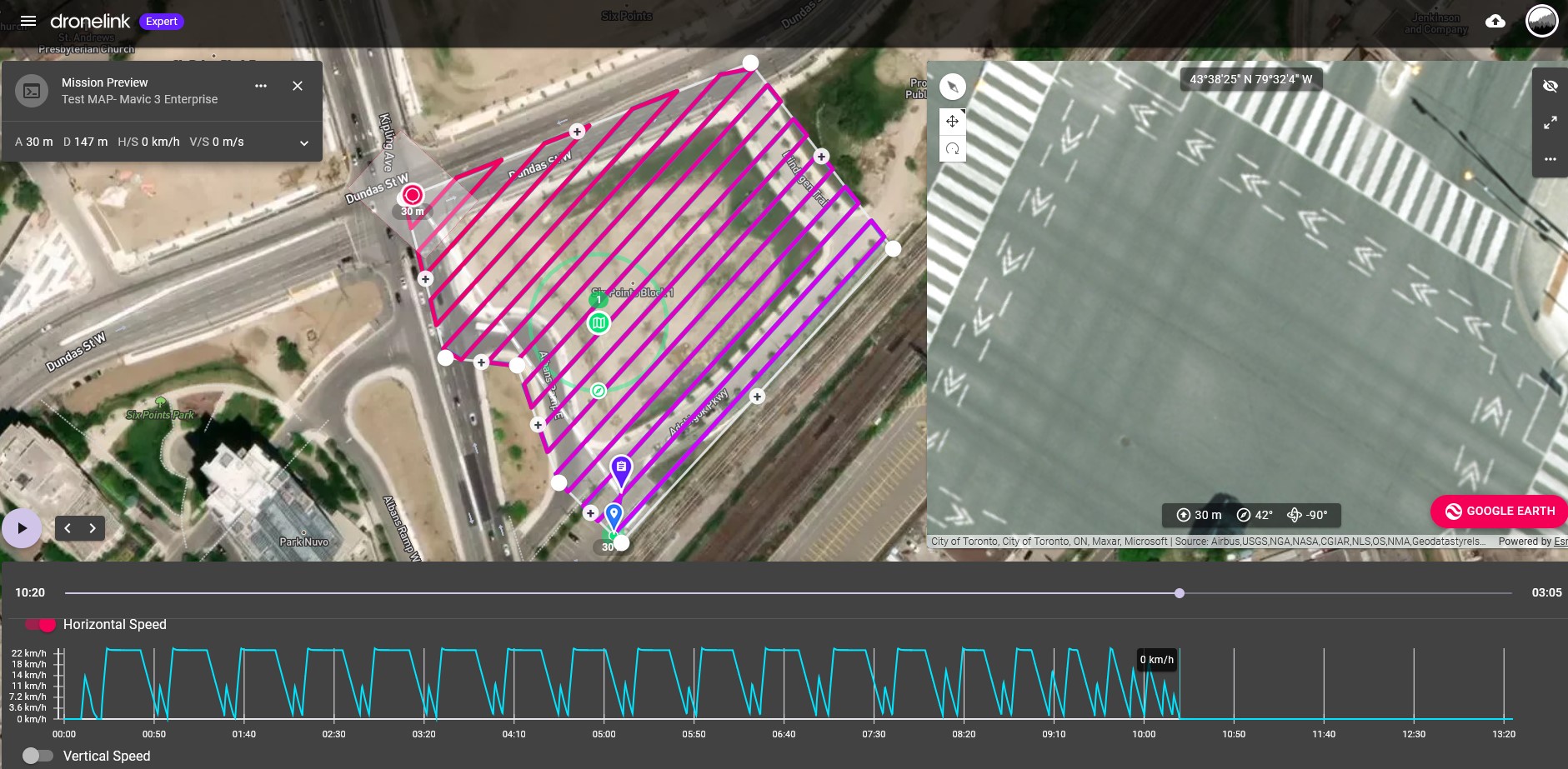
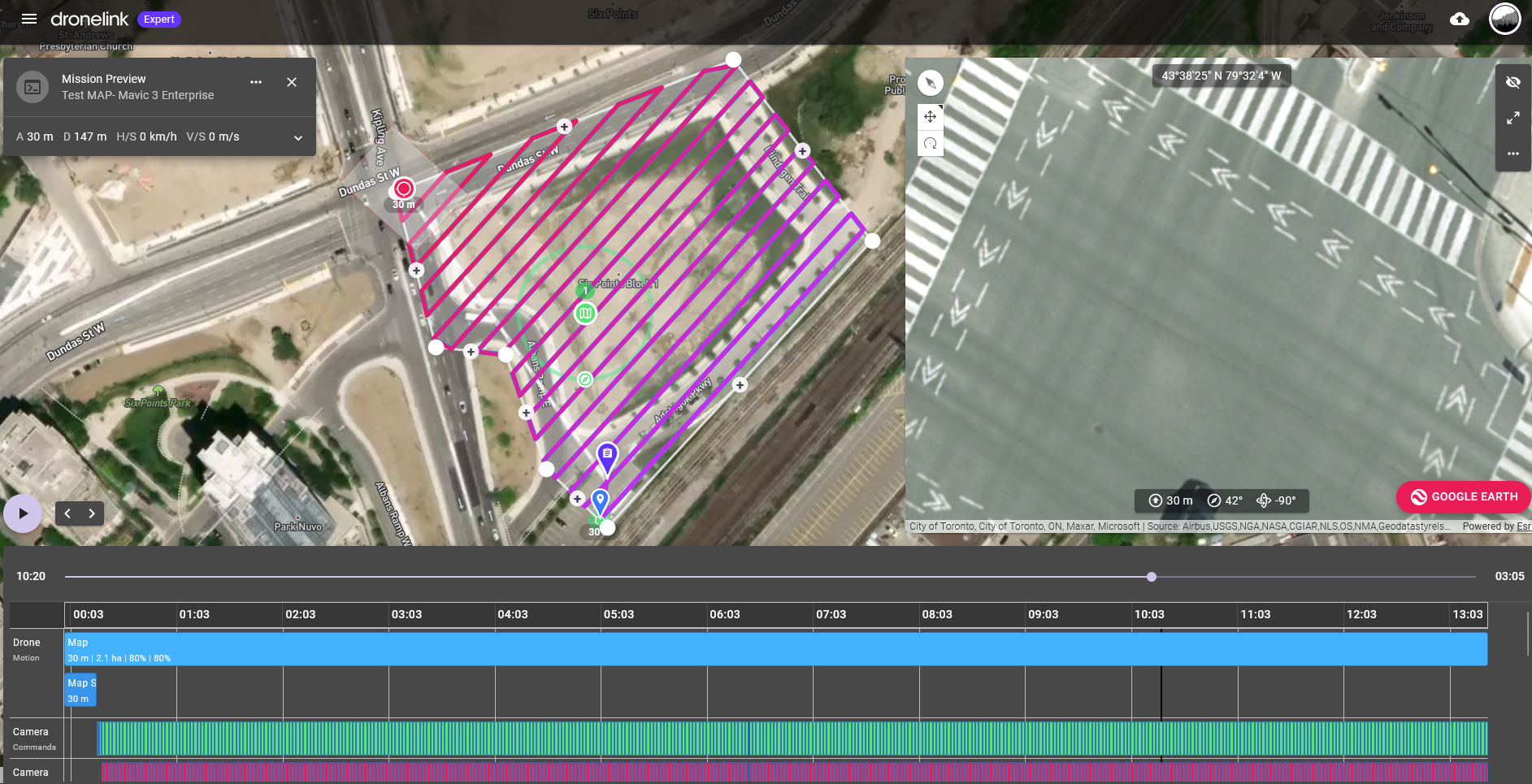
After last mapping photo taken M3E drone hovers and keeps taking photos

Mapping mission for Mavic 3 Enterprise.
When I simulate the mission the Drone stops after taking the last mapping mission photo, Hovering there for 3 minutes and continuing to take photos every 1 second for no reason.
Why? How do I fix this?
Mission here:
Comments
5 comments
Does it happen if you set it to 2 seconds?
With 2 sec. It Works well.
You will probably have to change it to Time based capture priority to get sub 2 secs (will use interval photos).
Thanks for figuring this out. Looks like 1.6 seconds is the fastest photo interval that works in Distance Capture Priority without the drone hovering.I haven't thought about using Time Capture Priority and this does work allowing the drone to take interval photos every 1 second.
I just read this great article to learn about this:
https://support.dronelink.com/hc/en-us/articles/4419665270803-Time-vs-Distance-Capture-Priority
The Mavic 3 Enterprise drone can take photos with it's mechanical shutter every 0.7 seconds while mapping. Will this be corrected in a DroneLink update soon so I can map larger sites faster with Distance Capture Priority?
We have tried triggering the camera (remotely) at faster rates, but at the end of the day, the DJI SDK wouldn’t support it due to the latency of the commands and the way the camera firmware responds to commands. If you want 0.7 above all else, you are forced to use Time.
Please sign in to leave a comment.