Continuation of previous Air2 / Dronelink mission failure

- Search for other threads on your issue and don't submit a duplicate report.
Done - tried a few things, none worked, also had an APAS / Manual error, disabled APAS in DJI and got past the APAS error but will need APAS for missions low altitude Search and Rescue Missions.
- Consider if your bug might actually just be a feature request.
- If possible, try to reproduce your issue across multiple browsers, mobile devices, drones, etc to determine if it is specific to one environment.
Tried downloading the plans, no luck, tried live plans - no go, tried with another Air 2 on my controller and got the same problem, seems like that would mean software settings? Shared plan with Mavic 2 Enterprise and another Air 2, it seems dronelink needs to installed on recieving ends controllers? Previously owned a Mavic Air and no trouble at all for 2 years
- Post as many details as possible including screenshots, screen recordings, exact error messages / codes, mobile device model and OS version, drone type, firmware, etc.
Screen shots below, tried Android tablet, tried S20 phone - no luck
- Include links to any mission plan, component, or function that you used.
https://app.dronelink.com/guest/cranbrook/plan/jyOhU68AFCDq45mGNijV/vfOEdjLSDHeDmoL2za6O
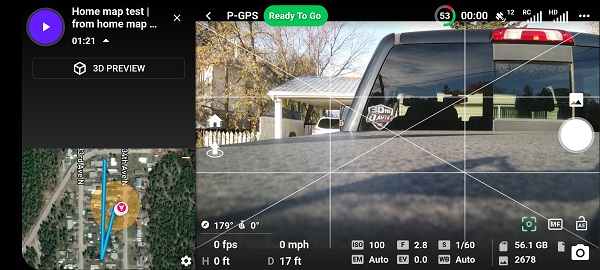
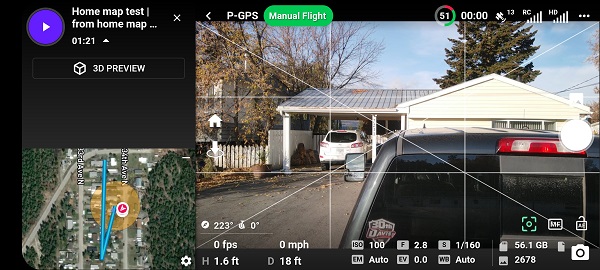
- First screenshot all systems go before flight, 2nd immediately on takeoff switches to manual
Comments
13 comments
What is the actual error message?
The actual error is a failure to load and fly the mission. I can fly manually but the goal is the mission. My zone commander is actually 2nd in command for the province of British Columbia Canada. He has looked at and considered the competition but is very impressed with your software and is considering a province wide implementation but chances are slim unless I can provide a successful demonstration. It would be great for all of us if we can work this out
The screenshots appear to have a mission loaded, so I think maybe we are just miscommunicating. Would it be possible to just upload a screen recording so I can understand and try to reproduce?
Just flew two missions today with MA2 using iPad without any issues. I’ve been using the newest drone firmware 01.01.0920 since it came out. DL Beta version 4.1.0 (226). Controller firmware 04.11.0034. Not sure if that helps. Good luck.
Yes all looks good until lift off, when the mission is immediately rejected to fly in manual mode. I have all the updates but havn't tried the beta 4.1.0. Are we talking Dronelink Beta or DJI beta? I will do that tomorrow morning and send a screen recording. Will I be able to upload that here, it seems you have a file size limit
I have also tried different flight plans with different flight restrictions all with no luck
I am currently running version 4.1.0 (226) kernal 4.1.0
These are my mission settings for the link I sent you, I'm guessing it's something simple, do you see anything obvious here? I've tried with and without a specific area AGL flight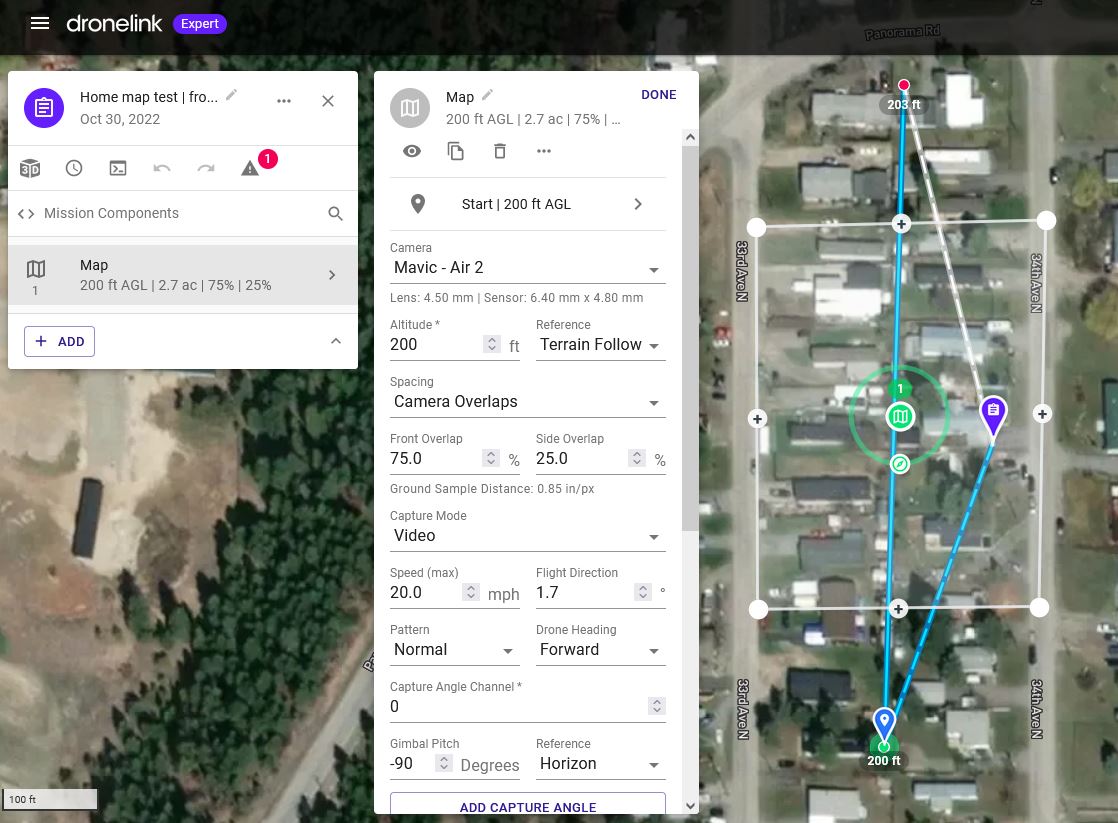
This is the part that is unclear. Need a screen shot or screen recording of this moment.
Rain day today, I'll have to get that screen recording when the rain lets up a bit
Good news – still got some bugs but we’re mostly good to go here.
Not sure if it was anything in particular or combination of things. Mike (above) got me thinking about the latest software, I was already running it but decided to uninstall / reinstall dronelink and while I was at it I did the same with dji
Then I went through all the dji settings, re-calibrated absolutely everything took it outside for a test, hit play and eureka, thumbs up and stuff.
Decided to test further so downloaded all my test flight plans and went out to our testing grounds where everything failed last time. Tested 5 plans, all came up with error screens at about 17 feet altitude but on a retry I was able to get past that and restart the plans, then another couple errors into the flights at higher altitudes, 4 out of 5 plans I could get past the error messages. One was missing elevations and couldn’t get past that one, with another one flying off course and terminating that way.
error screen shots attached, btw I appreciate your help, if you have any suggestions as to the error screens that would also be appreciated. Not sure what happened with the Automatic Control error as the aircraft was still in pgps but did switch itself to manual at 134 feet?
Good to hear Doug.
The first screenshot indicating automatic control interrupted (P-GPS flight mode) is usually a disconnect even if it was only brief. Thats why if you wait about 5 seconds and hit resume it will continue. Any time when flying it needs a “clear” constant connection. Even if it’s indicating full signal bars and it’s not that far away a brief interruption may cause this. Telemetry is indicating a 1,558’ distance. I’ve only had this happen a few times over about a two year period where I live in a very rural area.
The other two are indicating APAS at the top. This usually happens when you have the Obstacle Avoidance enabled in the DJI app. It has happened with my MA2 a few times when I have the Obstacle Avoidance set to Bypass but after waiting the 5 seconds or so I hit resume it will continue without any further issues. Whenever I set the Obstacle Avoidance to brake or off I’ve had no issues. It’s just something that pops up on a very rare occasion with my drone but it will always resume if I wait. Not sure why it does this since the Obstacle Avoidance can be used with DL. I’m just guessing because I don’t understand software but maybe it’s a DJI SDK issue. The majority of my missions are at an altitude where it’s not needed anyway.
The Drone off-course errors are usually do to the max speed setting too high and possible winds. Default for a map is set to 20 mph. There is a selection to enable high wind tolerance but even with it enabled it may still fly off-course in winds. If already enabled then Maybe slow down the max speed and see if that works.
I’m not certain about the missing elevations. Just a shot in the dark but maybe it’s due to the map area not being cached for that area. Since I have a Wi-Fi only iPad and fly in areas without any Wi-Fi, I use Hotspot with my iPhone once I’m at the location. I load the plan and let the map cache. Otherwise sometimes even though I opened DL prior to leaving and let the map cache it doesn’t always work 100%. I’m sure Jim can help with this issue a lot more then I can.
Hope some of this helps. Good luck.
Answers all my questions. I submitted a report to my team and will do further testing this weekend using your information. Thanx for your help.
Now that that is settled I'm going to bug you guys some more and ask for a programmed flight plan modification in the feature requests, see you there.
Please sign in to leave a comment.